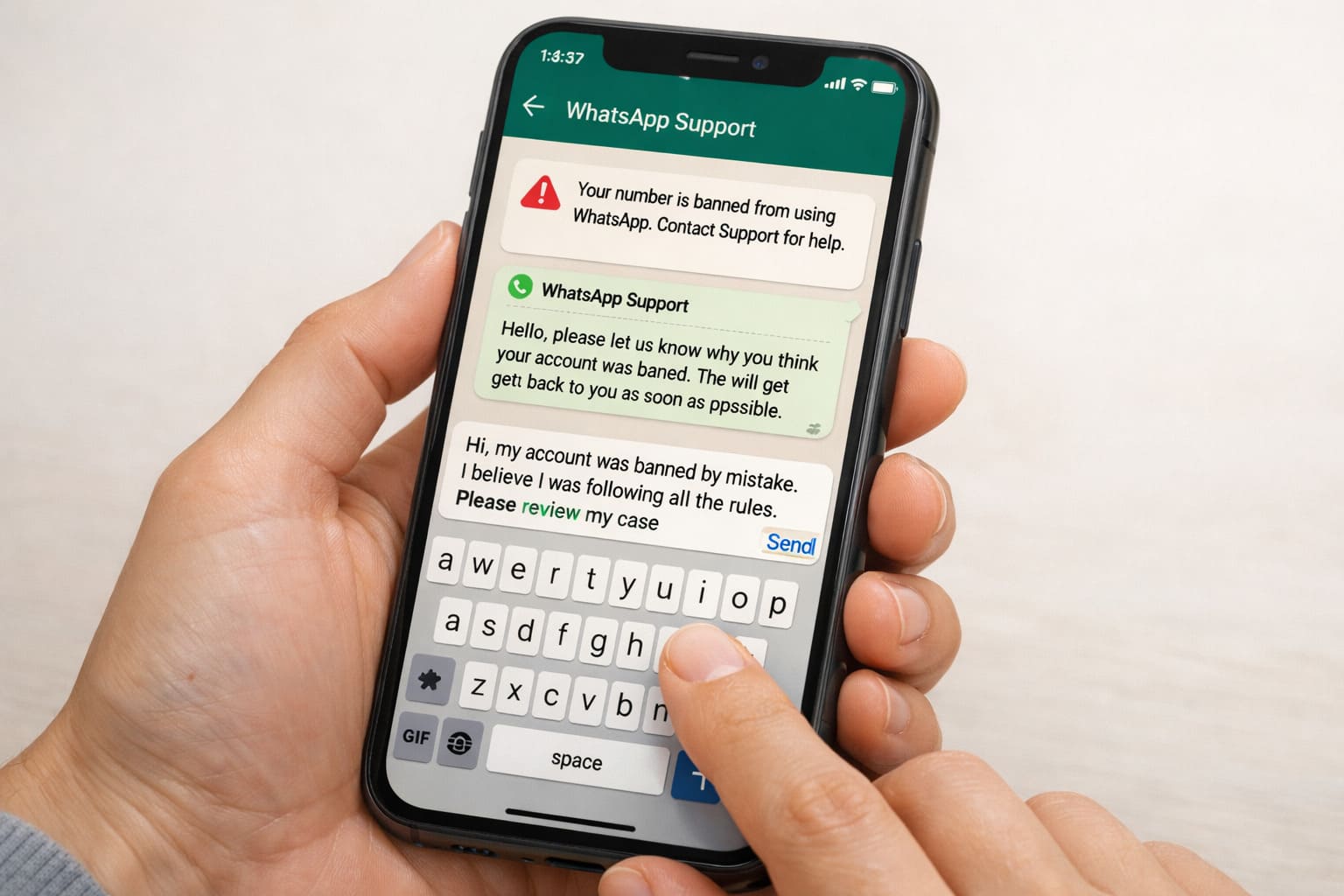
Getting banned on WhatsApp can be frustrating. Whether you were using the wrong tools, sent a message that looked like spam, or your behavior triggered an automated system, the result is the same: your account gets restricted. Thankfully, if you believe the ban was a mistake, you can request WhatsApp to review and unban your account.
The key is writing a request message that is clear, respectful, and to the point. Most people get no response because the message is vague, emotional, or doesn’t explain what happened. In this article, you’ll learn how to write an effective unban request and see 5 ready-to-use WhatsApp unban request message templates.
Why You Might Get Banned on WhatsApp
Before we talk about messages, it helps to understand why bans happen.
WhatsApp bans accounts when:
- The system detects bulk messaging or spam-like behaviour
- You used unauthorized third-party apps (like modified WhatsApp versions)
- Other users reported your account
- Your account was linked to suspicious activity
- You violated WhatsApp’s Terms of Service
Sometimes bans are mistakes. In those cases, WhatsApp support may reverse the decision — if your appeal is clear and respectful.
What Makes a Good Unban Request Message
Your message should be:
Polite and respectful – never hostile or emotional
Clear and concise – straight to the point
Honest – explain what happened without excuses
Account-specific – include your phone number with country code
Action-oriented – ask politely for a review
Avoid: complaining, threats, emojis, long stories, irrelevant details.
How to Send Your Unban Request
You can submit an unban request in two main ways:
1. From the WhatsApp app
When you open WhatsApp and see a ban message, there’s usually a button like “Support” or “Contact Us”. Tap it, describe the issue, and send.
2. Via Email
Send a clear request to support@whatsapp.com from the phone number associated with your account.
Make sure your message includes:
- Your phone number with country code (e.g., +1 555 123 4567)
- What happened
- A polite request for review
Top 5 WhatsApp Unban Request Templates
Here are ready-to-use templates. Customize them with your phone number and details.
Template #1 — Simple & Direct
Hi WhatsApp Support,
My account (+[country code][phone number]) was recently banned. I believe this may be a mistake. I have always followed the Terms of Service and did not use any unauthorized apps. Please review my account and lift the ban.
Thank you.
Template #2 — Explained Situation
Hello WhatsApp Team,
I’m writing regarding my banned account: +[country code][phone number]. I wasn’t aware that my activity violated any policies. I may have triggered a false positive, but I did not use spam or third-party apps. Please review and restore my access.
Appreciate your help.
Template #3 — Emphasizing No Third-Party Apps
Dear WhatsApp Support,
My number +[country code][phone number] was banned. I have never used any modified WhatsApp versions or third-party tools. If there was a misunderstanding, I sincerely apologize. Please help me restore my account.
Kind regards.
Template #4 — Polite & Professional
Hello,
I’m requesting a review of my WhatsApp account: +[country code][phone number]. The ban may be accidental, as I follow all policies and use the official app. I’d be grateful if you could reassess and unban my account.
Thank you for your time.
Template #5 — Short & Respectful
Hi Support Team,
My WhatsApp number +[country code][phone number] was banned. I believe this is a mistake. Please review and lift the ban.
Thanks in advance.
What Happens After You Send the Request
Once sent:
- WhatsApp will review your request internally
- If they agree it was a mistake, they’ll restore your account
- If they uphold the ban, you may receive a short response or no response
This process can take a few hours to a couple of days — depending on support load.
Common Mistakes to Avoid
- Being emotional or aggressive
- Using slang or unclear language
- Forgetting to include your phone number
- Sending repeated requests too quickly
- Mentioning unrelated problems
Keep your message clear, respectful, and single-purpose.
Conclusion
Getting banned on WhatsApp can be stressful, but in many cases, it can be resolved with the right approach. A clear and polite unban request message gives WhatsApp support the information they need to review your account properly.
Using a simple, respectful tone and explaining your situation honestly improves your chances of getting a positive response. The templates shared above are designed to help you send a proper request without overcomplicating things.
If your account was banned by mistake, patience and the right message can go a long way. Stick to the official app, follow WhatsApp’s rules, and submit a clean appeal for the best chance of getting your account back.
FAQs
It usually takes a few hours to a couple of days. Response time depends on the type of ban and support workload.
Yes. If WhatsApp confirms serious or repeated violations, the ban may be permanent.
No. Sending repeated requests too quickly can reduce your chances. One clear request is better.
In most cases, WhatsApp requires you to switch back to the official app before reviewing the ban.
Also read:

Trust Post Desk
A journalist and editor at TrustPost.org covering world and national news, technology updates and human-interest stories. They check every fact, interview sources in person or online, and aim to deliver clear, accurate reporting. Their work ranges from breaking news to in-depth features and daily newsletters. Outside the newsroom, they follow emerging trends and engage with readers on social media.