12 Best Team Collaboration Software Tools (2026 Guide)
Trust Post DeskAuthor / Contributor
Have you ever tried to build a huge tower with your friends, but everyone keeps dropping their tools or forgetting what piece they were supposed to grab next? It’s messy, right? Working with your team online can feel the same way! You have emails, chats, shared files, and tasks flying everywhere.
Collaboration software is like the ultimate, super-organized toolbox for your team. It keeps all your chats, to-do lists, and shared papers in one easy place so everyone knows exactly what to do and when to do it. We looked at 12 of the very best tools out there, from chat apps that talk really fast, to project planners that make complicated jobs simple. We’re going to show you which one is the perfect fit for your team, so you can stop being messy and start building that amazing tower together!
All-in-One & Project Management
1. monday.com
Category
Visual Project Management
Who It’s For
Teams (marketing, creative, sales, dev) needing highly visual, flexible, and cross-departmental workflows.
* Extremely Visual: High-level dashboards and color-coding provide immediate status updates. * Powerful Automations: Reduces manual updates and administrative tasks. * High Flexibility: Can be adapted for almost any workflow (CRM, HR, project).
Cons (Weaknesses)
* Can Be Overwhelming: The sheer flexibility can lead to over-customization and confusion if not managed. * Pricing: Requires a minimum number of users and can be expensive for very small teams.
Best For
Organizations seeking a Work OS to unify disparate workflows and connect goals to execution.
2. ClickUp
Category
Feature-Rich Productivity Hub
Who It’s For
Teams looking to consolidate all their work (tasks, docs, chat, whiteboards) into a single, comprehensive platform.
Core Features
15+ Customizable Views, Real-Time Chat/Docs/Whiteboards, Goals and Targets Tracking, Native Time Tracking, Highly Granular Permissions.
Pros (Strengths)
* All-in-One Value: A massive feature set at a competitive price, often cheaper than competitors for comparable functionality. * Generous Free Plan: Robust features for individuals and small teams to start with. * Customization: Excellent for tailoring task fields and workflows to exacting specifications.
Cons (Weaknesses)
* Steep Learning Curve: The vast number of features and customization options can be overwhelming for new users. * Performance: Users occasionally report slower load times or glitches due to the complexity of the app.
Best For
Teams that want to maximize tool consolidation and are willing to invest time in initial setup.
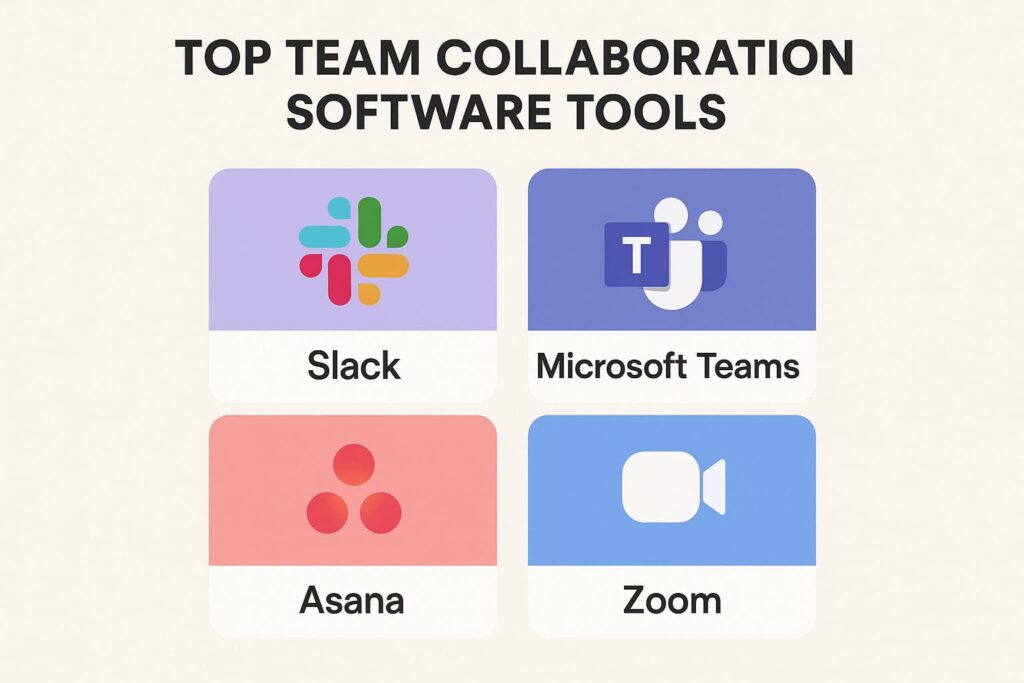
3. Asana
Category
Goal-Oriented Task Management
Who It’s For
Teams focused on clear, step-by-step task progression, tracking dependencies, and managing deadlines (great for marketing and operations).
* Clean Interface: Very intuitive and easy for new users to adopt quickly. * Strong Project Hierarchy: Excels at breaking down large initiatives into manageable, assignable tasks. * Workload Visibility: Managers can quickly see who is over or under-capacity.
Cons (Weaknesses)
* Communication Limitation: Task-focused; relies heavily on integrating with external chat tools (like Slack) for real-time discussion. * Feature Gaps: Advanced features like robust reporting and Gantt charts are locked behind paid tiers.
Best For
Project Managers and teams who value simplicity, structure, and keeping tasks aligned with strategic company goals.
4. Notion
Category
Flexible Workspace & Knowledge Base
Who It’s For
Startups, small teams, and users who prioritize documentation, a central knowledge base, and hyper-customized setups.
Core Features
Pages (for documents/notes), Databases (customizable tables with various views like Board, Calendar, Gallery), Block-based Editing, Notion AI (summaries, drafting).
Pros (Strengths)
* Ultimate Flexibility: Acts as a wiki, note-taker, and lightweight project tracker simultaneously. * Centralized Knowledge: Exceptional for building detailed, interlinked company documentation. * Affordable for Small Teams: Very accessible pricing, including a robust free tier.
Cons (Weaknesses)
* Notion Is Code: Requires time to build and customize; teams need to be disciplined about maintenance. * Weak Task Management: Lacks the dedicated project management functionality (dependencies, advanced reporting) of tools like Asana. * Offline Access: Limited offline functionality compared to desktop apps.
Best For
Teams needing a customizable internal wiki and document collaboration tool more than a strict project scheduler.
5. Trello
Category
Simple Kanban Board
Who It’s For
Small teams, simple projects (like content queues), and visual thinkers who need a straightforward way to track workflow stages.
Core Features
Boards, Lists (columns), Cards, Checklists, Due Dates, Power-Ups (add-ons for extra functionality).
Pros (Strengths)
* Easiest to Use: The gold standard for simple, drag-and-drop Kanban workflow. * Quick Adoption: Almost no learning curve; perfect for non-technical users. * Great for Visualizing Stages: Clearly shows where a task is in the workflow (To Do, Doing, Done).
Cons (Weaknesses)
* Scalability Concerns: Becomes complex and cluttered when managing a high volume of tasks or large, multi-team projects. * Limited Project Views: The focus is Kanban; Gantt/Timeline views require paid Power-Ups or are less native. * Reporting: Weak reporting capabilities compared to competitors.
Best For
Simple task tracking, personal productivity, and teams committed to the visual Kanban methodology.
Communication & Unified Suites
These platforms focus on real-time discussion and meetings, often unifying chat, video, and document creation within one ecosystem.
6. Slack
Category
Real-Time Team Messaging
Who It’s For
Tech-savvy teams, startups, and companies that prioritize instantaneous communication and deep integration with their entire tech stack.
Core Features
Channels (by project, topic, or team), Threads, Direct Messaging, Huddles (quick audio/video calls), Extensive App Directory, Slack Connect (external collaboration).
Pros (Strengths)
* Best-in-Class Integrations: Seamlessly connects with thousands of third-party apps (Asana, Google Drive, Salesforce). * Channel Organization: Keeps conversations focused and prevents email overload. * Powerful Search: Easy to find old messages, files, and links.
Cons (Weaknesses)
* Information Overload: Requires discipline to manage notifications and channels, leading to “Fear of Missing Out” (FOMO). * File Storage: The free tier limits message history and is not a primary file storage solution. * Meeting Functionality: Video/audio features are less robust than dedicated meeting tools like Zoom or Teams.
Best For
Teams looking to completely replace internal email and streamline their workflows through app integration.
7. Microsoft Teams
Category
Enterprise Unified Communications
Who It’s For
Organizations (especially large enterprises) deeply invested in the Microsoft 365/Azure ecosystem (using Outlook, SharePoint, OneDrive, etc.).
* Seamless Microsoft 365 Integration: Unifies all MS tools—Teams is your hub for email, meetings, and documents. * Security & Compliance: Built-in enterprise-grade security and compliance features for highly regulated industries. * Cost-Effective: Often included for companies already paying for a Microsoft 365 license.
Cons (Weaknesses)
* Resource Intensive: Can be slow or resource-heavy on older computers. * Interface Clutter: The multi-pane interface can feel less intuitive or more cluttered than Slack. * File Structure: File storage on SharePoint can be confusing for new users.
Best For
Companies that require deep enterprise-level compliance and already rely heavily on Microsoft 365 productivity tools.
8. Google Workspace (Docs, Sheets, Meet, Chat)
Category
Cloud-Native Real-Time Document Collaboration
Who It’s For
Small to mid-sized businesses, agencies, and educational institutions that prioritize simplicity, web-based access, and simultaneous document editing.
Core Features
Real-Time Co-editing (Docs, Sheets, Slides), Gmail/Calendar Integration, Google Chat (IM), Google Meet (Video Conferencing), Google Drive (Cloud Storage).
Pros (Strengths)
* Best Real-Time Co-editing: Unmatched speed and reliability for multiple people working in the same document at once. * User-Friendly: The web-first interface is instantly familiar to nearly everyone. * Reliable Search: Google’s search capability is excellent for finding files, emails, and drive content.
Cons (Weaknesses)
* Less Robust Core Apps: Docs/Sheets/Slides can lack the very advanced, niche features found in desktop-based Microsoft Office versions. * Limited Offline: While available, offline functionality is not as seamless as desktop applications. * Integration Necessity: Requires connecting multiple Google apps to achieve the functionality of a single tool like ClickUp.
Best For
Teams where document creation, co-editing, and cloud storage are the absolute top priority.
9. Zoom Workplace (Meetings, Team Chat, Whiteboard)
Category
Video-First Collaboration
Who It’s For
Remote and hybrid teams who spend significant time in video meetings and need high-quality conferencing.
Core Features
HD Video Meetings, Zoom Whiteboard, Team Chat, Phone System, AI Companion (meeting summaries, drafting).
Pros (Strengths)
* Unmatched Reliability: The industry standard for high-quality, stable video conferencing across devices and bandwidths. * Ease of Access: Joining a meeting is extremely simple, making it ideal for external partners/clients. * Integrated Whiteboard: A persistent digital whiteboard for visual brainstorming before, during, and after meetings.
Cons (Weaknesses)
* Chat is Secondary: The chat functionality (while improving) is generally considered less feature-rich for day-to-day work than Slack or Teams. * Not a Project Manager: Requires integration with a separate tool (like Asana or Trello) for task tracking.
Best For
Any organization prioritizing virtual meetings and needing a reliable, stable platform for external and internal calls.
Specialized/Visual Collaboration
These tools are built for specific, high-value visual tasks like brainstorming, design, and data-driven project structuring.
10. Miro
Category
Collaborative Online Whiteboarding
Who It’s For
Product teams, creative departments, strategists, and agile coaches needing to brainstorm, map processes, and run visual workshops remotely.
Core Features
Infinite Canvas, Massive Template Library (Diagrams, Mind Maps, User Story Mapping), Voting/Timer/Presentation Tools, Real-Time Collaboration.
Pros (Strengths)
* Visual Powerhouse: The best tool for free-form thinking, diagramming, and organizing complex ideas visually. * Engagement: Tools like voting and timers make remote workshops interactive and productive. * Template Variety: Vast library supports nearly every visual methodology (SWOT, Affinity Mapping, etc.).
Cons (Weaknesses)
* Lag with Large Boards: Extremely complex boards can sometimes cause performance issues. * Requires Internet: Heavy reliance on a stable internet connection. * Not a Task Tracker: While you can add cards, it’s not a substitute for a full project management system.
Best For
Remote and hybrid brainstorming, design sprints, and strategic planning sessions.
11. Figma & FigJam
Category
Design & Ideation Suite
Who It’s For
UX/UI Designers, Product Managers, and Development teams involved in creating, prototyping, and iterating on digital product interfaces.
Core Features
Figma (Vector-based Interface Design, Prototyping, Design Systems), FigJam (Simplified, collaborative online whiteboard for sticky notes, drawing, and quick ideation).
Pros (Strengths)
* Cloud-Native Design: True real-time design co-editing; eliminates the need for saving/versioning files locally. * Integrated Ecosystem: Designers use Figma; non-designers use FigJam for workshops—all in one place. * Dev Handoff: Excellent tools for developers to inspect designs and extract code specs.
Cons (Weaknesses)
* Learning Curve (Figma): While collaborative, the design tool itself is complex for non-designers. * Heavy on Browser: Can consume significant browser resources when working on very large design files.
Best For
Digital product design and development teams needing a collaborative platform from ideation (FigJam) to final design (Figma).
12. Smartsheet
Category
Spreadsheet-Based Work Management
Who It’s For
Teams (especially in IT, finance, and operations) who are accustomed to working in Excel/Sheets but need collaboration, automation, and project management power.
* Data-Driven Control: Excellent for managing complex data sets, reporting, and highly structured projects. * Familiar Interface: Low learning barrier for users comfortable with spreadsheets. * Enterprise-Grade Security: Known for its strong security and governance features.
Cons (Weaknesses)
* Less Visual: Can feel less intuitive and engaging than dedicated visual tools like Trello or monday.com. * Pricing Complexity: Plans can be complicated and often expensive, particularly as you scale and add features. * No Free Version: Requires a paid commitment to begin.
Best For
Operations and finance teams managing complex, highly structured data and process workflows that require detailed reporting.
Conclusion
So, after looking at all these fantastic online tools, what’s the best one? It’s not the one with the most fancy buttons! The best tool is the one your team actually likes to use. If a tool is too hard or confusing, everyone will just go back to sending messy emails, and you’ll be right back where you started.
Think about what your team struggles with the most. Is it just talking to each other quickly? Then get a chat tool like Slack or Teams. Is it figuring out who is supposed to do what next? Then get a planner like Asana or ClickUp. Use our guide to pick the one that fixes your team’s biggest problem. Try out the free version first! When you find the right one, you’ll be amazed at how much easier and faster your team can work together. Happy building!