Links play a big role in how websites connect with each other. When one page links to another, search engines look at that link to understand trust, relevance, and relationships between sites. But not all links work the same way.
This is where dofollow and nofollow links come in. These link types tell search engines how to treat a link. Some links pass value, while others are only there for reference or safety. Knowing the difference helps website owners, bloggers, and SEO teams make better decisions.
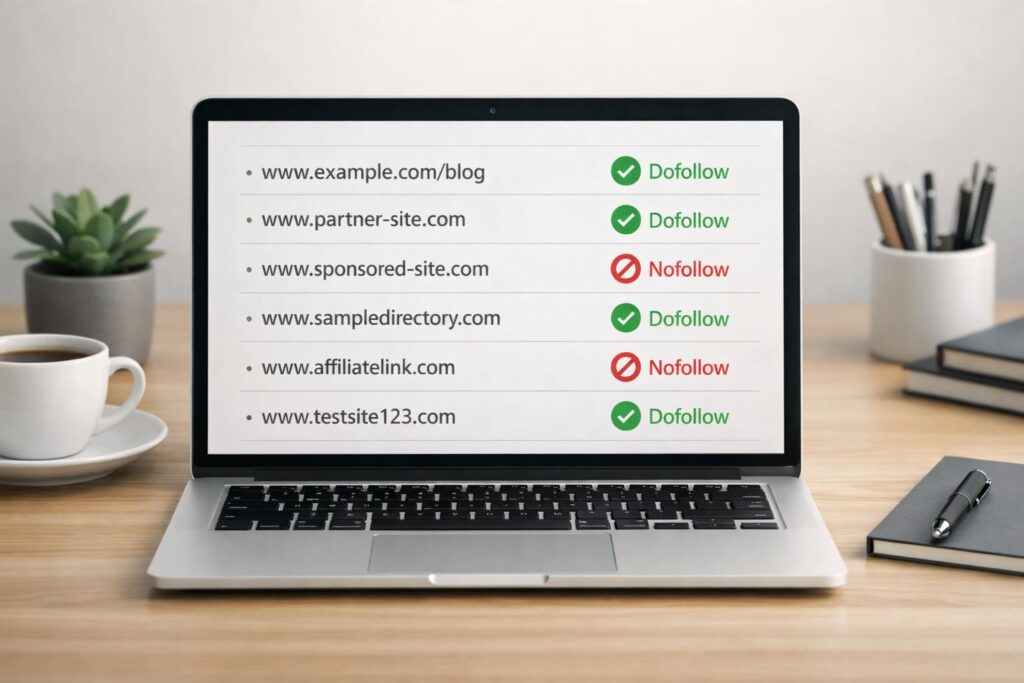
A dofollow/nofollow link checker helps you quickly see what type of links exist on a page or pointing to a site. Instead of checking page code manually, the tool shows link details in a clear way. This makes link reviews faster and more accurate.
What Is a Dofollow Link?
A dofollow link is a normal link that allows search engines to follow it and pass value from one page to another. When a website links to another site using a dofollow link, it is seen as a signal of trust or recommendation.
These links help search engines understand which pages are important and how websites are connected. Because of this, dofollow links are often valuable for improving search visibility and authority.
Most links on the web are dofollow by default. Unless a link is marked with a special attribute like “nofollow,” search engines treat it as a dofollow link.
Dofollow links are commonly found in blog posts, articles, internal website links, and editorial content where the website owner is confident about the destination page.
What Is a Nofollow Link?
A nofollow link is a link that tells search engines not to pass value to the page it points to. In simple terms, it means the website is linking to another page but isn’t vouching for it.
Website owners use nofollow links when they don’t fully trust the destination page or when the link exists for practical reasons rather than recommendation. This helps prevent spam and keeps websites safe from linking to low-quality or paid content.
Nofollow links are commonly used in blog comments, forums, sponsored posts, affiliate links, and social media platforms. In these cases, the link is helpful for users, but it’s not meant to influence search rankings.
Even though nofollow links don’t pass value in the usual way, they can still bring traffic and help with brand exposure. They play an important role in keeping link profiles natural and balanced.
Dofollow vs Nofollow: Key Differences
The main difference between dofollow and nofollow links is how search engines treat them. A dofollow link allows search engines to follow the link and pass value to the linked page. A nofollow link, on the other hand, tells search engines not to pass that value.
Dofollow links are usually used when a website wants to recommend or support another page. Nofollow links are used when the link is shared for reference, safety, or commercial reasons, such as ads or sponsored content.
From an SEO point of view, dofollow links can help improve search visibility, while nofollow links help keep a website’s link profile natural and protect it from spam. Both types of links are useful, just in different ways.
Using only one type of link doesn’t look natural. A healthy website usually has a mix of dofollow and nofollow links.
What Is a Dofollow/Nofollow Link Checker?
A dofollow/nofollow link checker is a tool that helps you identify what type of links appear on a webpage or point to a website. Instead of looking at page code manually, the tool scans the page and shows whether each link is dofollow or nofollow.
These tools are useful for website owners, bloggers, and SEO professionals who want a quick way to review link attributes. With one scan, you can understand how links are set up and whether they follow best practices.
A link checker also helps when reviewing guest posts, sponsored content, or backlinks from other sites. It makes link checking faster, clearer, and less technical, especially for people who are not familiar with HTML.
5 Best Dofollow/Nofollow Link Checker Tools
Here are some popular and reliable tools people use to check dofollow and nofollow links. Each one serves a slightly different purpose, depending on how deep you want to go.
1. Dofollow and Nofollow Link Checker by Rank Shifters
RankShifters’ Dofollow and Nofollow Link Checker is a professional-grade tool designed for SEO specialists, webmasters, and digital marketers. Understanding the link profile of a webpage is crucial for effective SEO. This tool quickly scans any URL and categorizes outbound links, providing you with a clear picture of how equity is being distributed from that page.
2. Ahrefs Backlink Checker
Ahrefs is widely used for backlink analysis. It clearly shows whether links pointing to a site are dofollow or nofollow. It’s especially useful for checking competitor backlinks and understanding link quality at a broader level.
3. Moz Link Explorer
Moz Link Explorer lets you analyze backlinks and see link attributes in a simple interface. It’s often used for quick audits and gives additional context about link strength.
4. Small SEO Tools Dofollow/Nofollow Checker
This is a simple online tool designed for quick checks. You can enter a page URL and instantly see which links are dofollow or nofollow, making it useful for basic audits and beginners.
5. Link Publishers Dofollow/Nofollow Checker
This tool is commonly used by publishers and link buyers to confirm link attributes. It’s helpful for checking guest posts and sponsored placements.
6. SERPNinja Bulk Dofollow/Nofollow Checker
SERPNinja offers a bulk checker that lets you analyze multiple URLs at once. It’s useful when you want to review many pages or backlinks quickly.
Frequently Asked Questions (FAQ)
No. Nofollow links are not bad. They help keep your link profile natural and protect your site when linking to sponsored, affiliate, or untrusted pages. They can also bring traffic even if they don’t pass link value.
Yes. While they don’t pass value in the usual way, nofollow links can still drive visitors, increase visibility, and support brand awareness. They are useful as part of a balanced link profile.
In most cases, no. Internal links are usually dofollow because they help search engines understand your site structure. Nofollow is only used internally in rare situations.
It’s a good idea to check links regularly, especially after publishing new content, adding sponsored posts, or receiving backlinks from other sites. Periodic checks help catch mistakes early.
Conclusion
Understanding the difference between dofollow and nofollow links is important for anyone managing a website. These link types play different roles, and using them correctly helps keep your site safe while supporting long-term growth.
A dofollow/nofollow link checker makes it easy to review links without digging into code. It helps you confirm link settings, catch mistakes, and keep your link profile balanced. Whether you’re checking backlinks, reviewing guest posts, or managing sponsored content, this kind of tool saves time and reduces errors.
By regularly checking and managing your links, you can maintain cleaner SEO practices and make better decisions about how your website connects with others on the web.
Also read:
- Best Local SEO Companies: Top Agencies to Grow Your Local Business
- 10 Best SEO Agencies in Cambridge
- Best SEO Agencies in Japan
- 5 Best SEOquake Alternative (When the Sidebar Fails)
- How to Improve AI Search Visibility: Insights From 2 Million LLM Sessions