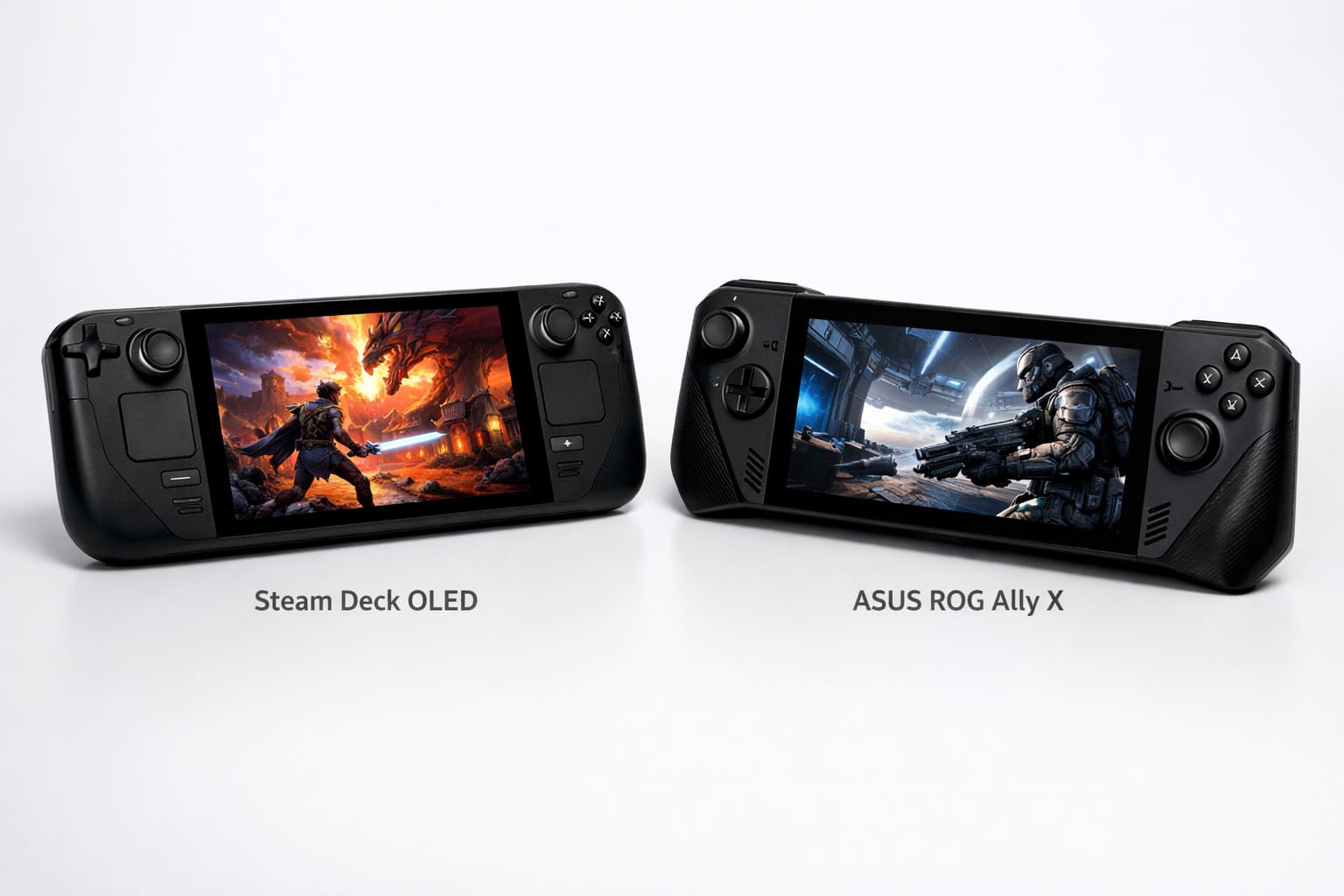
If you’re shopping for a gaming handheld in 2026, two devices consistently rise to the top: the Steam Deck OLED and the ASUS ROG Ally X. Both can play PC games on the go, but they take very different approaches. The Steam Deck runs on SteamOS (a Linux-based system) and focuses on ease of use, while the ROG Ally X runs Windows 11 and prioritizes raw compatibility with every PC game launcher.
This guide breaks down the real-world differences between these two handhelds to help you make the right choice based on how you actually play games.
What Are the Steam Deck OLED and ASUS ROG Ally X?
The Steam Deck OLED is Valve’s updated version of their original handheld PC. It keeps the same AMD processor but upgrades to a brighter OLED screen, better battery, and refined design. It runs SteamOS, which means it’s optimized specifically for Steam games and works like a console right out of the box.
The ASUS ROG Ally X is a refined version of ASUS’s first gaming handheld. It runs full Windows 11, which means you can install any PC game launcher—Steam, Epic Games Store, Xbox Game Pass, Battle.net, or anything else. ASUS doubled the battery size from the original Ally and increased the RAM to 24GB.
Both devices can play the same PC games, but the experience of using them day-to-day is completely different.
Which Operating System Is Better: SteamOS or Windows 11?
This is the most important difference between these devices, and it affects everything else.
SteamOS: The Console-Like Experience
The Steam Deck uses SteamOS, which is built specifically for gaming on a handheld. When you turn it on, you see your Steam library. You press a button, the game downloads, and you play. There are no Windows updates, no antivirus pop-ups, and no driver installations.
The downside is that SteamOS runs a compatibility layer called Proton to play Windows games. Most games work perfectly, but some don’t run at all—especially competitive multiplayer games with anti-cheat software like Destiny 2, Fortnite, or Call of Duty.
Windows 11: Full PC Compatibility
The ROG Ally X runs the same Windows 11 you’d have on a desktop. This means every PC game works, including those that don’t run on Steam Deck. You can install Xbox Game Pass, EA App, or any launcher you want.
The tradeoff is that Windows wasn’t designed for a handheld. You’ll encounter desktop menus, keyboard pop-ups, and small text that’s hard to read on a 7-inch screen. ASUS includes their Armoury Crate software to make it easier, but it still feels less polished than SteamOS.
Which is better? If you only play Steam games and want a simple experience, SteamOS wins. If you need to play Game Pass titles or competitive shooters, Windows 11 is essential.
How Do They Compare in Gaming Performance?

Both handhelds use AMD processors from the same generation, so performance is closer than you might expect.
Steam Deck OLED: AMD Custom APU (Zen 2 + RDNA 2)
The Steam Deck uses a custom AMD chip with 4 cores and 8 threads. It’s designed to run games at the native 1280×800 resolution. Valve optimized SteamOS to squeeze every drop of performance from this chip, which means games often run smoother here than you’d expect from the specs alone.
In demanding games like Cyberpunk 2077 or Elden Ring, you can expect 30-40 FPS at medium settings. Lighter games like Hades or Stardew Valley run at a locked 60 FPS or even 90 FPS on the OLED’s higher refresh display.
ASUS ROG Ally X: AMD Ryzen Z1 Extreme (Zen 4 + RDNA 3)
The ROG Ally X uses a newer chip with more powerful graphics. It can push games at the native 1920×1080 resolution and still maintain playable frame rates. The 24GB of RAM also helps in memory-intensive games.
In the same demanding titles, the Ally X can hit 40-50 FPS at higher settings. It handles newer games like Starfield or Baldur’s Gate 3 with more headroom than the Steam Deck.
Real-world difference: The ROG Ally X is about 20-30% faster in most games. However, the Steam Deck’s lower resolution means it doesn’t need as much power to deliver smooth gameplay. For most games, both devices provide a good experience—the Ally X just does it at higher graphical settings.
Battery Life: Which Lasts Longer?
Battery life matters more on a portable device than raw performance, and this is where the two devices differ significantly.
Steam Deck OLED: 50Wh Battery
Valve upgraded the battery from 40Wh to 50Wh in the OLED model. Combined with the more efficient 6nm manufacturing process and SteamOS’s better power management, you get excellent battery life.
- Light games (2D indie games): 6-8 hours
- Medium games (older 3D titles): 4-5 hours
- Demanding games (AAA titles at higher settings): 2-3 hours
The OLED screen is also more power-efficient than the original LCD, which extends playtime even further.
ASUS ROG Ally X: 80Wh Battery
ASUS doubled the battery from 40Wh to 80Wh in the Ally X. This is the largest battery in any mainstream gaming handheld. Despite running Windows (which is less efficient than SteamOS), the sheer capacity gives you great results.
- Light games: 5-6 hours
- Medium games: 3-4 hours
- Demanding games: 2-2.5 hours
The reality: The Steam Deck OLED gets slightly better battery efficiency in lighter games because SteamOS manages power better. However, for demanding AAA games, both devices drain in about the same 2-3 hour range. The Ally X’s massive battery gives you more total runtime in everyday use.
Display Quality: OLED vs LCD

Both devices prioritize screen quality, but they use different technologies.
Steam Deck OLED: 7.4-inch, 1280×800, 90Hz, HDR OLED
The Steam Deck OLED’s screen is its biggest upgrade. OLED technology means perfect blacks, vibrant colors, and HDR support. The 90Hz refresh rate makes scrolling and fast-paced games feel smoother. Peak brightness reaches 1,000 nits, so you can play outdoors without struggling to see the screen.
Games look stunning on this display. Dark scenes in horror games like Resident Evil Village have real depth, and colorful games like Spider-Man pop off the screen.
ASUS ROG Ally X: 7-inch, 1920×1080, 120Hz, VRR LCD
The Ally X uses a high-resolution LCD with a 120Hz refresh rate. The extra pixels make text sharper and small details easier to see. Variable Refresh Rate (VRR) prevents screen tearing, which the Steam Deck lacks.
The LCD can’t match OLED’s contrast or color vibrancy, but it gets bright enough for most situations.
Which looks better? The Steam Deck OLED has a more impressive visual impact because of the deep blacks and vibrant colors. The Ally X has a sharper image because of the higher resolution. For games with detailed UI or text-heavy RPGs, the Ally X is easier to read. For cinematic games or anything with dark scenes, the Steam Deck OLED is noticeably better.
Game Library: What Can You Play on Each?
This is where the operating system choice becomes critical.
Steam Deck OLED Game Compatibility
The Steam Deck can play most Steam games, but not all. Valve marks games as “Verified” (works perfectly), “Playable” (works but might have small issues), or “Unsupported” (doesn’t work).
As of 2026, over 12,000 games are Verified or Playable. This includes major titles like Baldur’s Gate 3, Hogwarts Legacy, and Red Dead Redemption 2.
What doesn’t work:
- Most games with kernel-level anti-cheat (Fortnite, Apex Legends, Call of Duty)
- Some multiplayer-focused titles (Destiny 2, Rainbow Six Siege)
- Games that require specific Windows features
You can install Windows on the Steam Deck if you want full compatibility, but then you lose the console-like experience that makes it great.
ASUS ROG Ally X Game Compatibility
The ROG Ally X runs Windows, so it plays everything a gaming PC can play. This includes:
- All Steam games
- Xbox Game Pass (cloud and local)
- Epic Games Store exclusives
- EA App, Ubisoft Connect, Battle.net
- Competitive shooters with anti-cheat
The catch: Windows handhelds require more setup. You’ll need to install launchers, manage updates, and occasionally deal with desktop mode when something doesn’t work right.
Bottom line: If your library is on Steam and you don’t play competitive shooters, the Steam Deck covers you. If you subscribe to Game Pass or play games across multiple launchers, the ROG Ally X is the only real option.
Build Quality and Ergonomics
Both devices are well-built, but they feel different in your hands.
Steam Deck OLED
The Steam Deck is the heavier device at 640 grams, but Valve shaped it so the weight sits in your palms. The grips are chunky and comfortable for long sessions. The buttons and triggers feel premium with good travel.
The unique feature here is the dual trackpads under the thumbsticks. These make strategy games and mouse-based games like Civilization VI actually playable on a handheld.
The fan on the OLED model is quieter than the original, but you’ll still hear it during demanding games.
ASUS ROG Ally X
The Ally X weighs 678 grams, making it slightly heavier than the Steam Deck. ASUS redesigned the grips to be more ergonomic than the original Ally, and they added textured rubber for better grip.
The buttons are clicky and responsive. The back buttons are easier to reach than on the Steam Deck. However, it lacks trackpads, which means mouse-based games require using the thumbsticks or touchscreen.
The fan can get loud under heavy load, but it’s manageable with headphones.
Preference: The Steam Deck feels better for 2+ hour sessions because of the grip design. The ROG Ally X is more compact and easier to fit in bags.
Price Comparison: What Do You Get for Your Money?
Price is often the deciding factor, and both devices have multiple configurations.
| Device | Storage | RAM | Price (USD) |
|---|---|---|---|
| Steam Deck OLED | 512GB | 16GB | $549 |
| Steam Deck OLED | 1TB | 16GB | $649 |
| ASUS ROG Ally X | 1TB | 24GB | $799 |
The Steam Deck OLED costs less upfront, making it the better value if you’re on a budget. You can save money and use a microSD card for extra storage.
The ROG Ally X costs $150-$250 more but includes more RAM and the ability to play any PC game without workarounds. If you subscribe to Xbox Game Pass ($16.99/month), that extra compatibility pays for itself over time.
Value winner: The Steam Deck OLED offers more for the money if you’re a Steam-focused gamer. The ROG Ally X justifies its higher price if you need Windows-only games or Game Pass.
Which Device Should You Buy?
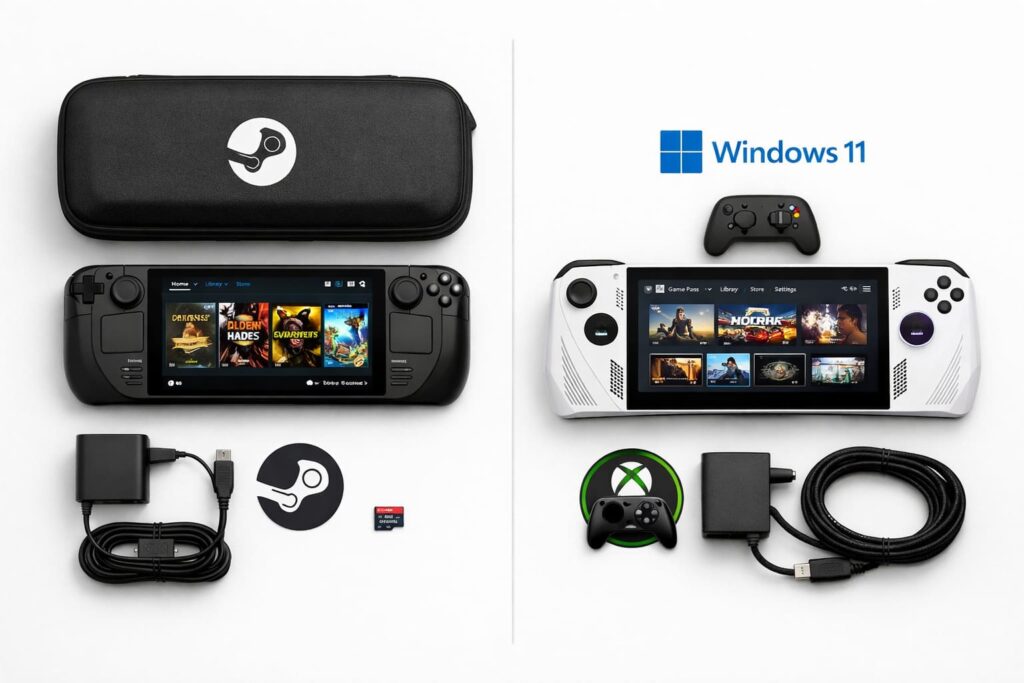
The answer depends entirely on how you play games and what you prioritize.
Buy the Steam Deck OLED if you:
- Play mostly Steam games
- Want a plug-and-play experience without technical setup
- Prefer longer battery life for indie and lighter games
- Care about OLED visual quality
- Don’t play competitive shooters with anti-cheat
- Want to save money
- Like the idea of trackpads for strategy games
Buy the ASUS ROG Ally X if you:
- Subscribe to Xbox Game Pass or use multiple game launchers
- Play competitive multiplayer games (Fortnite, Call of Duty, Apex)
- Want the most powerful handheld performance
- Need a sharper screen for text-heavy games
- Don’t mind Windows quirks and occasional troubleshooting
- Prefer VRR for smoother frame rates
- Want maximum compatibility with every PC game
Frequently Asked Questions
Can I install Windows on the Steam Deck OLED?
Yes, Valve officially supports Windows installation on the Steam Deck. However, doing this removes SteamOS and all its optimizations. You’ll lose the quick resume feature, better battery management, and the console-like interface. Most people who want Windows should just buy the ROG Ally X instead.
Can the ROG Ally X run SteamOS?
Technically yes, but ASUS doesn’t officially support it. There are community builds of SteamOS for the Ally X, but you’ll lose features like the VRR display and may encounter driver issues. The device is designed around Windows.
Which has better performance in demanding games?
The ASUS ROG Ally X performs about 20-30% better in demanding AAA games because of its newer processor and higher RAM. However, the Steam Deck’s lower resolution means it doesn’t need as much power to deliver smooth gameplay.
How much storage do I actually need?
For the Steam Deck, the 512GB model is enough if you add a microSD card. Modern AAA games are 50-150GB each, so the 1TB model is better if you want to keep multiple large games installed. The ROG Ally X only comes in 1TB, which is good since Windows takes up more space than SteamOS.
Do both devices support external displays?
Yes, both can connect to TVs or monitors via USB-C. The Steam Deck supports up to 4K60 output. The ROG Ally X also supports 4K60 and works with USB-C docks that include HDMI.
Which is better for emulation?
Both handle emulation well up to PS2 and Nintendo Switch generation. The Steam Deck has better community support for emulation because of the Linux base and active user community. The ROG Ally X has more raw power for demanding emulators.
Can I upgrade the storage on either device?
Yes, both use M.2 2230 NVMe SSDs that you can replace yourself. ASUS makes it easier with a single screw access panel. Valve requires more disassembly but provides guides. Both also support microSD cards up to 2TB.
Final Verdict
There’s no universal “better” device between the Steam Deck OLED and ASUS ROG Ally X. They’re designed for different types of PC gamers.
The Steam Deck OLED is the best choice for most people. It’s cheaper, easier to use, has a stunning OLED screen, and provides excellent battery life for the majority of games. If your library is primarily on Steam and you don’t play competitive shooters, this is the smarter purchase.
The ASUS ROG Ally X is the enthusiast’s choice. You pay more money and deal with Windows quirks, but you get maximum compatibility with every PC game launcher, stronger performance, and the freedom to play anything without checking compatibility lists.
Both devices are excellent at what they do. Your decision should come down to one question: Do you value ease of use and value (Steam Deck OLED) or do you value maximum compatibility and performance (ASUS ROG Ally X)?
Also read: