Public Wi-Fi is everywhere, from coffee shops and airports to hotels and libraries, and it offers a convenient way to stay connected on the go. But that convenience comes with real security risks that many people overlook. Open, shared networks can expose your personal information to others, making public Wi-Fi one of the more common places where data is stolen. Knowing how to use it safely protects you wherever you connect.
The good news is that with a few simple precautions, you can enjoy the convenience of public Wi-Fi while keeping your data safe. This guide explains the risks of public networks, the practical steps to protect yourself, and the habits that keep your information secure when you are away from your trusted home connection. A little awareness goes a long way toward staying safe.
Why Public Wi-Fi Is Risky
The core problem with public Wi-Fi is that these networks are often unsecured and shared with strangers. On an open network, data sent between your device and websites can sometimes be intercepted by others connected to the same network. This means sensitive information like passwords, payment details, and private messages could potentially be captured if you are not careful.
Attackers also exploit public Wi-Fi in more deliberate ways. They may set up fake hotspots with names that look legitimate, hoping you connect so they can monitor your activity. As CISA warns, treating public networks as inherently untrustworthy is the safest mindset. Assuming someone could be watching encourages the careful habits that keep your data protected.
Use a VPN on Public Networks
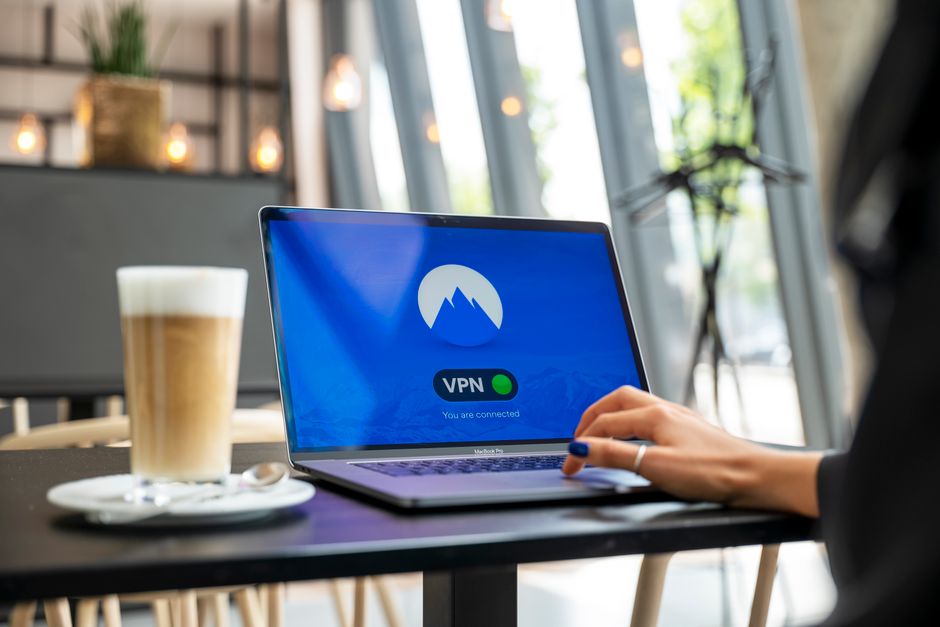
The single most effective way to protect yourself on public Wi-Fi is to use a VPN, or virtual private network. A VPN encrypts all the data traveling between your device and the internet, turning it into unreadable code even on an open network. This means that even if someone intercepts your traffic, they cannot make sense of it, neutralizing the biggest risk of public Wi-Fi.
Our guide on how a VPN works explains the technology in detail. For anyone who regularly connects to public networks, a reputable VPN is well worth the modest cost. Setting it to launch automatically when you join an untrusted network ensures you are always protected without having to remember to turn it on each time.
Avoid Sensitive Activities on Public Wi-Fi
Even with precautions, it is wise to limit sensitive activities on public networks. Try to avoid logging into your bank, entering credit card details, or accessing other highly sensitive accounts while connected to public Wi-Fi. If you must do something sensitive, using a VPN or switching to your phone’s cellular data is much safer than relying on the open network alone.
For routine, low-risk activities like reading news or watching videos, public Wi-Fi is generally fine, especially with a VPN running. Saving banking and shopping for a trusted network or your mobile data reduces your exposure. This simple discipline of matching the activity to the network’s safety dramatically lowers your risk of having sensitive information stolen.
Verify the Network Before Connecting
Before joining any public Wi-Fi, take a moment to confirm you are connecting to the legitimate network. Attackers sometimes create fake hotspots with names that mimic a business, hoping people connect by mistake. When in doubt, ask an employee for the exact name of the official network rather than guessing, since connecting to a malicious hotspot hands your traffic directly to an attacker.
Be cautious of networks that do not require any password and that prompt you to install software or enter excessive personal information. Legitimate public networks rarely ask for more than basic agreement to terms. Paying attention to these details before you connect helps you avoid the traps that turn a convenient connection into a security risk.
Adjust Your Device Settings for Safety
A few device settings make public Wi-Fi much safer. Turn off automatic connection to open networks so your device does not silently join unknown hotspots without your knowledge. Disable file sharing and similar features when on public networks, since these can expose your device to others on the same connection. These small adjustments close off common avenues of attack.
Keeping your device and apps updated also matters, because updates often patch security flaws that attackers exploit. Using reputable security software adds another layer of protection, as covered in our guide to the best antivirus software. Together, these settings and tools harden your device so that even on a risky network, you are far less vulnerable.
Finally, make a habit of forgetting public networks after you are done using them, so your device does not automatically reconnect later. This prevents it from rejoining a network, or a malicious imitation of it, without your awareness in the future. Combined with a VPN and careful habits, these steps let you use public Wi-Fi with confidence wherever you go.
The Risk of Fake Wi-Fi Hotspots
One of the more deceptive public Wi-Fi threats is the fake hotspot, sometimes called an evil twin. Attackers set up a network with a name that closely resembles a legitimate one, such as a cafe or airport network, hoping people connect without checking. Once you join, the attacker can monitor everything you do on that connection, capturing logins and other sensitive data.
As the FTC explains, confirming the exact official network name with a staff member before connecting is a simple way to avoid these traps. Being wary of networks with slightly off names, duplicate listings, or no security at all helps you spot impostors. When you cannot verify a network, using your phone’s cellular data is the safer choice.
Mobile Data vs Public Wi-Fi
When security matters most, your phone’s cellular data is generally safer than public Wi-Fi. Cellular connections are encrypted by design and are not shared in the same open way as a public hotspot, making them much harder for a nearby attacker to intercept. For sensitive tasks like banking on the go, switching off Wi-Fi and using mobile data is a smart precaution.
Many phones can also share their cellular connection with other devices through a personal hotspot, letting you connect a laptop securely without relying on public Wi-Fi at all. While mobile data has limits and costs, reserving it for sensitive activities gives you a safer option when you do not fully trust the available network. Balancing convenience and security this way keeps your information protected on the move.
Staying Safe While Traveling
Travelers are especially exposed to public Wi-Fi risks, since they rely heavily on hotel, airport, and cafe networks in unfamiliar places. The same precautions apply but matter even more on the road: use a VPN, avoid sensitive transactions on untrusted networks, and verify network names before connecting. Setting up these protections before you leave home means you are ready the moment you arrive.
It also helps to keep your devices fully updated before a trip and to enable device encryption and remote-wipe features in case a device is lost or stolen while you are away. Carrying your own portable charger reduces the temptation to use risky public charging stations, which can in some cases pose data risks of their own. With a little preparation before you leave, you can stay connected while traveling without exposing your personal information to the many untrusted networks you inevitably encounter along the way.
International travel adds another layer to consider, since network security standards and privacy protections vary widely from one country to another. A reputable VPN becomes especially valuable abroad, both for securing your connection and for maintaining access to your usual services. Treating every unfamiliar network as untrusted, and relying on encryption and your own mobile data when in doubt, keeps your information protected no matter where in the world you happen to be connecting from.
Frequently Asked Questions
Is public Wi-Fi safe to use?
Public Wi-Fi is convenient but risky because the networks are often unsecured and shared with strangers, which can expose your data. Using a VPN, avoiding sensitive activities, and adjusting your device settings make it much safer to use.
How can I protect myself on public Wi-Fi?
Use a VPN to encrypt your traffic, avoid logging into banks or entering payment details, verify you are connecting to the legitimate network, turn off automatic connection and file sharing, and keep your device updated and protected with security software.
Should I use a VPN on public Wi-Fi?
Yes. A VPN is the single most effective protection on public Wi-Fi because it encrypts all your data, making it unreadable even if someone intercepts it on an open network. Setting it to connect automatically ensures you are always protected.
Can someone steal my information on public Wi-Fi?
Potentially, yes. On unsecured networks, attackers may intercept data or set up fake hotspots to monitor your activity. This is why using a VPN and avoiding sensitive activities on public networks is so important for protecting your information.
Related Articles
What Is a VPN and How Does It Work?

Trust Post Desk
A journalist and editor at TrustPost.org covering world and national news, technology updates and human-interest stories. They check every fact, interview sources in person or online, and aim to deliver clear, accurate reporting. Their work ranges from breaking news to in-depth features and daily newsletters. Outside the newsroom, they follow emerging trends and engage with readers on social media.