A second brain is a digital system for capturing and connecting everything you learn so your best ideas are never lost.
The concept, popularized by Tiago Forte, spawned a whole category of apps designed to extend your memory externally.
The best second brain app in 2026 depends on how you think, your devices, and whether you prioritize privacy or collaboration.
This guide reviews Obsidian, Notion, Logseq, Reflect, Roam Research, and Apple Notes to help you choose the right second brain.
What Is a Second Brain App and Why Do You Need One?
A second brain stores your notes, ideas, research, and references in a connected system where everything links meaningfully.
Unlike a folder of documents, a second brain creates bi-directional links so every place a concept appears is visible.
The goal is reduced cognitive load. Offload information to a trusted system and focus on doing, not remembering.
Second brain apps are used by writers, researchers, students, and developers who synthesize information from multiple sources over time.
In 2026, the best tools add AI to surface relevant notes automatically, generate summaries, and suggest missed connections.
Your morning routine and productivity habits becomes more powerful when paired with a second brain that frees your mind from remembering everything.
Data ownership matters. Some apps store notes locally; others use cloud servers. This difference affects long-term trust and access.
1. Obsidian: Best Second Brain App for Data Ownership
Obsidian is the most powerful personal knowledge management app in 2026 for users who want data control and plugin depth.
Every note is stored as a plain Markdown file on your device. No cloud server, no vendor lock-in, no lost access.
The bi-directional link system is Obsidian’s core. Link any note to any other note; Obsidian tracks all references automatically.
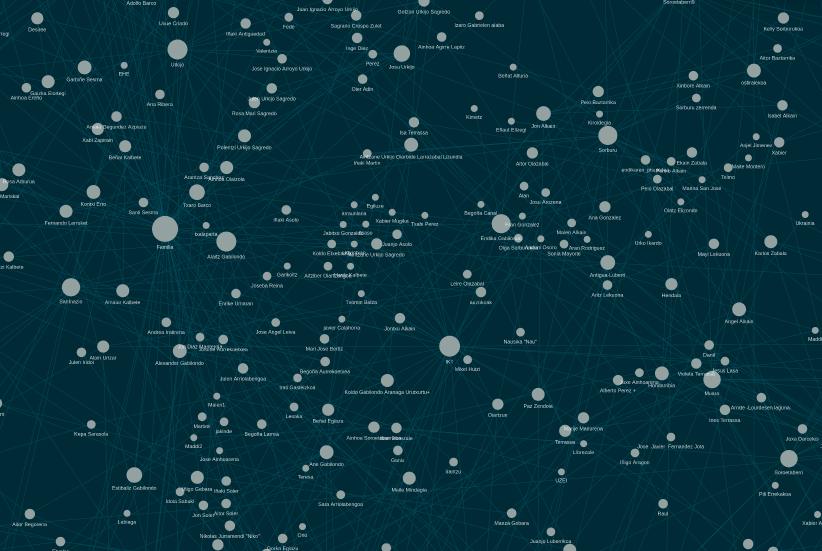
The graph view shows all notes as connected nodes, revealing idea clusters and connections you never consciously made before.
Over 2,000 community plugins add daily notes, task managers, Kanban boards, calendars, and AI summarization to your vault.
The learning curve is steep. New users need to build a folder structure and templates before Obsidian delivers real value.
Obsidian Sync is an optional $10/month cloud service with end-to-end encryption and version history across all devices.
Per AFFiNE second brain app comparison, Obsidian is the top pick for users who want a knowledge system that compounds in value over years.
Best for: writers, researchers, and developers who want local-first storage, deep linking, and a fully owned knowledge system.
Price: Free for personal use. Obsidian Sync $10/month. Obsidian Publish for public vaults costs $50 per year.
2. Notion: Best Second Brain App for Teams and Flexibility
Notion is the most flexible second brain in 2026, combining notes, databases, project management, and wikis in one workspace.
Its database feature is unique. Store notes as rows, then view them as a table, board, calendar, or gallery instantly.
The block editor lets you embed images, code, bookmarks, tables, and callouts inside notes for rich document creation.
The template gallery has thousands of community second brain templates, including PARA and GTD setups ready to use immediately.
Notion AI can summarize notes, generate meeting action items, translate text, and answer questions about your workspace content.
Collaboration features make Notion the strongest team choice. Share pages, comment, assign tasks, and run projects together.
All data lives on Notion’s cloud servers, meaning your notes depend on Notion staying operational and your account staying active.
Before storing sensitive knowledge in any cloud app, read our guide on online privacy rights and data protection to understand the privacy tradeoffs.
Best for: teams and individuals who want an all-in-one workspace: notes, tasks, databases, and wikis with strong collaboration.
Price: Free tier available. Plus plan $12/user/month. Business plan $18/user/month. Notion AI is $10/user/month extra.
3. Logseq: Best Free and Open-Source Second Brain App
Logseq is an open-source, outliner-based knowledge tool that stores every note locally in plain Markdown or Org-mode files.
Every note is a page of nested bullet points, and any bullet can link to any other page or block in the vault.
This outliner format mirrors how many people think during research, making it natural for capturing ideas in meetings or while reading.
Logseq’s bi-directional linking and graph view are comparable to Obsidian’s, but its interface suits a different type of thinker.
The built-in daily journal automatically creates a dated page each day, linking fleeting notes into a chronological personal log.
Logseq lacks native AI features in its current stable release, though community plugins add basic summarization and linking support.
Per Atlas Workspace second brain guide, Logseq is the best Obsidian alternative for outliner-first users who want a free, open-source local tool.
Best for: users who think in outlines and want a free, transparent, local-first tool without commercial software overhead.
Price: Completely free and open source. A new Logseq DB version is in development but the current release remains free.
4. Reflect: Best AI-Powered Second Brain App
Reflect is built from the ground up around AI, offering a clean writing experience with deep AI integration for knowledge workers.
Notes in Reflect are end-to-end encrypted and synced, combining cloud convenience with security that local tools also offer.
The AI assistant searches your entire vault and surfaces relevant past notes as you type, powered by your own knowledge base.
Reflect integrates with your calendar, pulling meeting notes in automatically and linking them to people and projects in your vault.
Daily notes, voice capture, and mobile-first design make Reflect faster for on-the-go capture than desktop-heavy tools like Obsidian.
The main limitation is platform availability. Reflect has a native iOS app but no Android app and only web access otherwise.
Best for: solopreneurs and Apple users wanting a fast, encrypted, AI-powered system with less setup than Obsidian requires.
Price: $10 per month with no free tier beyond a trial. Reasonable given the AI features and encryption included.
5. Roam Research: Best for Networked Thought
Roam Research pioneered bi-directional linking and networked note-taking before Obsidian and Logseq made the concept more accessible.
Every note is a page and every word can link to every other place that word appears across your database.
The sidebar lets you open multiple notes side by side for easy reference while writing new notes simultaneously.
Roam is fully web-based: no desktop app to install, but your data lives on Roam’s cloud servers entirely.
Development pace at Roam has slowed, with fewer updates shipped in 2025 and 2026 than rivals release each quarter.
Roam suits academics and networked thinkers, but the high price and slower development make it harder to recommend today.
Best for: power users who love Roam’s specific graph-based thinking model and are already invested in its workflow.
Price: $15 per month or $165 per year. No free tier, and costly given that Obsidian and Logseq offer similar linking for free.
6. Apple Notes: Best Free Second Brain Starting Point
Apple Notes is the most underestimated second brain starting point for Apple users, offering a fast and capable experience for free.
It syncs via iCloud, supports rich text, tables, checklists, images, scanned documents, and handwritten iPad notes without setup.
Apple Intelligence in macOS Sequoia adds summarization, priority sorting, and smart folder suggestions to automatically organize your notes.
Apple Notes has no bi-directional linking, no graph view, no plugin ecosystem, and no web access on non-Apple devices.
If you are starting your second brain journey, Apple Notes is the right first tool to build the capture habit.
Serious knowledge workers needing linking or databases will outgrow Apple Notes quickly and need to migrate to Obsidian or Notion.
Best for: Apple users wanting a zero-cost, zero-setup starting point who are not yet ready for dedicated PKM tools.
Price: Free with all Apple devices. iCloud paid plans start at $0.99/month for 50GB if your vault grows large.
How to Choose the Best Second Brain App for Your Needs
Start by deciding: local-first storage or cloud convenience? This single choice narrows the field before evaluating any other feature.
For privacy and data ownership, choose Obsidian or Logseq. Both store notes locally in plain text you always own.
For team work with shared notes, databases, and project management, Notion is the strongest all-in-one option available in 2026.
For AI-powered, encrypted cloud notes without Obsidian’s setup complexity, Reflect is the best available option for Apple users.
If you are brand new to second brain tools, start with Apple Notes. Build the habit before choosing a complex system.
Consider long-term cost. Roam at $165 per year costs more than Obsidian Sync ($120) and exceeds Notion’s free tier significantly.
As AI agents replacing jobs in 2026 shows, organized humans paired with AI tools outperform those relying on AI alone to stay structured.
Verdict: Best Second Brain Apps Ranked for 2026
Obsidian is the best overall second brain for users who want local storage, deep linking, plugins, and full data ownership.
Notion is the best choice for teams wanting databases, project management, and notes in one collaborative platform.
Logseq is the best free option for thinkers who prefer an outliner-based approach with the same local-first model as Obsidian.
Reflect is the best AI-first pick for Apple users who want encryption and AI without Obsidian’s setup complexity.
Apple Notes is the best zero-cost starting point for beginners building the capture habit before committing to a full PKM system.
Start capturing consistently. The best second brain is the one you actually use and return to every single day.
Related Articles

Trust Post Desk
A journalist and editor at TrustPost.org covering world and national news, technology updates and human-interest stories. They check every fact, interview sources in person or online, and aim to deliver clear, accurate reporting. Their work ranges from breaking news to in-depth features and daily newsletters. Outside the newsroom, they follow emerging trends and engage with readers on social media.