
Claude Code and GitHub Copilot are the two biggest coding AI tools developers debate in 2026.
Both tools use AI to help write software, but they solve fundamentally different problems in a developer’s daily workflow.
This comparison covers features, benchmark scores, pricing, IDE support, and which tool is worth paying for in 2026.
Claude Code vs GitHub Copilot: The Core Difference in Coding Approach

The most important difference: Claude Code is an autonomous agent that acts on your codebase, while GitHub Copilot helps you type faster.
Claude Code reads your entire repository, plans multi-step changes across files, and delivers diffs you can review and accept.
GitHub Copilot started as an autocomplete tool inside your IDE and has added agent capabilities as a layer on top of that foundation.
When you ask Claude Code to add authentication to a web app, it reads every relevant file and plans the changes across multiple files.
When you ask GitHub Copilot the same task, it generates suggestions line by line, requiring you to guide and review at each step.
For simple tasks like generating a utility function, a regex pattern, or a test case, Copilot’s inline suggestions are faster to use.
For complex tasks like refactoring a data model across 50 files or debugging a multi-layer authentication flow, Claude Code wins.
Most senior developers in 2026 use both tools: Copilot for fast inline assistance and Claude Code for complex autonomous workflows.
What Claude Code Does That GitHub Copilot Coding Agent Cannot

Claude Code’s most powerful feature is its ability to understand entire codebases before making any changes, not just the open file.
When you run Claude Code in a terminal, it indexes your repository, reads architecture files, and plans before writing a single line.
The agent teams feature in Claude Code Max lets you coordinate parallel sub-agents with shared task lists and dependency tracking.
This means you can have one Claude Code agent writing tests while another writes the implementation simultaneously, cutting time.
Claude Code’s 200K context window means it can hold your entire medium-sized codebase in working memory without truncation.
Claude Code can also run shell commands, install dependencies, run test suites, and read error output to iterate autonomously.
When Claude Code encounters a failing test, it reads the error, traces the bug, proposes a fix, applies it, and retests automatically.
GitHub Copilot’s agent mode can do some of these tasks, but requires more manual intervention and produces more hallucinated paths.
On SWE-bench Verified, the standard autonomous coding benchmark, Claude Code scores 80.8%, one of the highest recorded scores.
GitHub Copilot Strengths: Inline Coding Speed, IDE Integration, Price
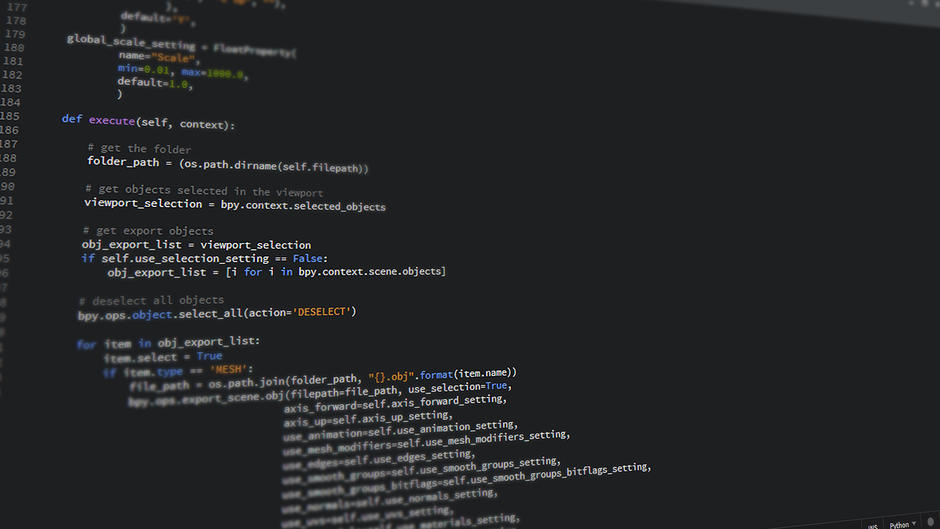
GitHub Copilot invented modern AI code autocomplete and still does it better than any other tool at this price point in 2026.
Copilot suggestions appear in under 200 milliseconds, span multiple lines, and adapt to your coding style and patterns over a session.
The IDE integration for VS Code, JetBrains, Visual Studio, and Neovim is native, stable, and more polished than Claude Code’s integrations.
Copilot understands the file you are editing, recent git history, and open tabs, enabling context-aware suggestions without any setup.
GitHub Copilot’s deep integration with pull requests, code reviews, and GitHub Actions creates a seamless GitHub-native developer workflow.
Copilot can explain code diffs in pull requests, write commit messages, suggest test coverage, and flag security issues automatically.
The Copilot CLI agents now include specialized sub-agents for code exploration, task planning, review, and background cloud execution.
For solo developers and small teams already on GitHub, Copilot Pro at $10 per month is one of the best-value tools available today.
Per coding tool reviews in 2026, Copilot remains the most adopted AI coding tool globally by total developer count.
Claude Code vs GitHub Copilot SWE-bench Benchmark Scores 2026

SWE-bench Verified tests how well an AI can autonomously fix real GitHub issues in open-source Python repositories.
Claude Code (with Claude Opus 4.6) scores 80.8% on SWE-bench Verified, among the highest marks any tool has achieved.
GitHub Copilot’s agent mode, using GPT-4o or Claude Opus 4.6 as the underlying model, scores approximately 55 to 60% on the same test.
The gap is partly architecture: Claude Code is designed as an autonomous coding agent from the ground up, not retrofitted.
GitHub Copilot using Claude Opus 4.6 as its backend model performs better than when using GPT-4o, a telling signal for the model comparison.
On HumanEval, which tests single-function code generation, both tools score above 90% and are effectively tied on simple tasks.
The benchmark gap widens on multi-file SWE-bench style tasks because Claude Code’s planning loop is architecturally superior.
For teams that benchmark AI tool output quality, Claude Code wins by a significant and reproducible margin on complex real-world tasks.
For teams that value fast inline suggestion speed and IDE integration smoothness, Copilot remains the better developer experience today.
Claude Code vs GitHub Copilot Pricing Breakdown in 2026

GitHub Copilot Free gives 2,000 completions and 50 chat messages per month at no cost, making it the best free coding AI available.
Copilot Pro costs $10 per month and covers most professional developers with its 2,000 completions and 300 premium monthly requests.
Copilot Business costs $19 per user per month and adds organization-wide policy controls, audit logs, and IP indemnification.
Copilot Max at $100 per month launches in June 2026 with $200 in AI Credits covering heavy usage and background cloud execution.
Claude Code is included with Claude Pro at $20 per month but usage is metered and heavy users hit limits within a few daily sessions.
Claude Code Max 5x costs $100 per month and provides 5 times Pro usage, enough for professional developers using it 6 to 8 hours daily.
Claude Code Max 20x costs $200 per month and is the tier for full-time power users running complex autonomous workflows all day.
For most professional developers, the realistic choice is Copilot Pro at $10 for inline help plus Claude Pro at $20 for complex tasks.
That $30 combined monthly spend covers the vast majority of coding use cases better than either tool alone at any price point.
IDE Support: Claude Code vs Copilot in VS Code and JetBrains

GitHub Copilot offers native, first-party plugins for VS Code, all JetBrains IDEs, Visual Studio, Neovim, and Xcode in 2026.
The VS Code Copilot extension has over 20 million installs, making it the most widely installed AI coding extension in existence.
Claude Code operates primarily as a terminal-based CLI tool, with IDE integration available through third-party extensions in VS Code.
Cursor IDE, built on top of VS Code, integrates Claude natively, making it the smoothest IDE experience for Claude coding workflows.
For developers who prefer staying inside their IDE without switching to a terminal, Copilot’s native integration is more convenient.
For developers comfortable with terminal-based workflows, Claude Code’s CLI experience is fast and powerful without IDE dependency.
Anthropic has announced plans to deepen Claude Code’s IDE integrations, but Copilot maintains the polish advantage in 2026.
Both tools support all major programming languages, with neither having a meaningful advantage on language coverage or syntax support.
As covered in our article on Anthropic talent acquisitions, the company is investing heavily in developer tooling improvements.
Agentic Coding: Claude Code Agent Teams vs Copilot Autopilot Mode

Agentic coding, where AI autonomously plans and executes multi-step tasks without human prompting, is the key battleground in 2026.
Claude Code’s agent teams feature allows multiple sub-agents to work in parallel on the same codebase with a shared task manager.
One agent writes the data model, another writes the API layer, a third writes tests, all coordinated by a top-level planning agent.
GitHub Copilot Autopilot launches tasks in background cloud environments, allowing Copilot to work while you do something else.
Copilot Autopilot can handle defined issues like fixing a specific bug or adding a specific feature, returning with a pull request draft.
For well-defined, single-issue tasks, Copilot Autopilot is a convenient background tool that fits naturally into a GitHub workflow.
For complex architectural tasks requiring deep codebase understanding, Claude Code’s parallel agent approach is more capable today.
Both agentic features are still maturing, and capabilities are changing rapidly with monthly updates from both Anthropic and GitHub.
The agentic coding race between Claude Code and Copilot is the most important product competition in AI developer tools for 2026.
GitHub Integration: Where Copilot Has an Unbeatable Coding Advantage

GitHub Copilot’s most defensible advantage is its deep, native integration with GitHub as the world’s largest code repository platform.
Copilot can comment on pull requests with automated code review, suggest improvements, and explain diff contexts in plain language.
Copilot Actions integrates with GitHub Actions CI/CD pipelines, enabling AI to automatically fix failing builds and test failures.
Claude Code has no equivalent native GitHub integration, requiring developers to run it locally and push results manually.
For open source maintainers managing dozens of pull requests weekly, Copilot’s pull request assistance is a massive productivity gain.
Security scanning, secret detection, and vulnerability analysis in Copilot are powered by GitHub’s Advanced Security infrastructure.
Claude Code users who want GitHub integration typically use it alongside a separate GitHub Actions workflow or CI tool.
If your team lives inside GitHub all day and uses Actions, Issues, and Pull Requests heavily, Copilot’s GitHub depth is hard to replace.
Claude Code vs GitHub Copilot: Verdict for Developers in 2026

Use Claude Code if you work on complex multi-file tasks, run autonomous workflows, or need the highest accuracy coding AI available.
Use GitHub Copilot if you value fast inline autocomplete, native IDE integration, and seamless GitHub pull request workflow features.
The answer for most professional developers is to use both: Copilot Pro at $10 for inline suggestions, Claude for complex tasks.
Junior developers benefit most from Copilot’s real-time suggestions and explanations while building their core coding fundamentals.
Senior developers and architects benefit most from Claude Code’s ability to reason across an entire codebase autonomously.
For enterprise teams on GitHub Enterprise Cloud, Copilot Business and Enterprise tiers include organization-level features Claude lacks.
For AI-first product teams building at the frontier of what is possible, Claude Code’s autonomous capability is the stronger investment.
Our guide to Claude Pro and Max plan pricing covers the best way to access Claude Code at the lowest cost.
Per Cosmic JS developer research, most teams that adopt Claude Code for complex tasks do not abandon Copilot for inline use.
Related Articles

Trust Post Desk
A journalist and editor at TrustPost.org covering world and national news, technology updates and human-interest stories. They check every fact, interview sources in person or online, and aim to deliver clear, accurate reporting. Their work ranges from breaking news to in-depth features and daily newsletters. Outside the newsroom, they follow emerging trends and engage with readers on social media.