Knowing how to build a gaming PC gives you better performance per dollar than any prebuilt or console at equivalent price points in 2026.
Prebuilt PCs charge 20 to 30% premiums for assembly. That money buys a better GPU or faster storage when you source parts yourself.
Why Build a Gaming PC Instead of Buying a Console or Prebuilt
Building also teaches you exactly what is inside your machine, making future upgrades and troubleshooting straightforward rather than mysterious.
Per Newegg PC build guide, a self-built gaming PC in 2026 starts around $900 for solid 1080p performance and $1,400 for high-quality 1440p gaming.
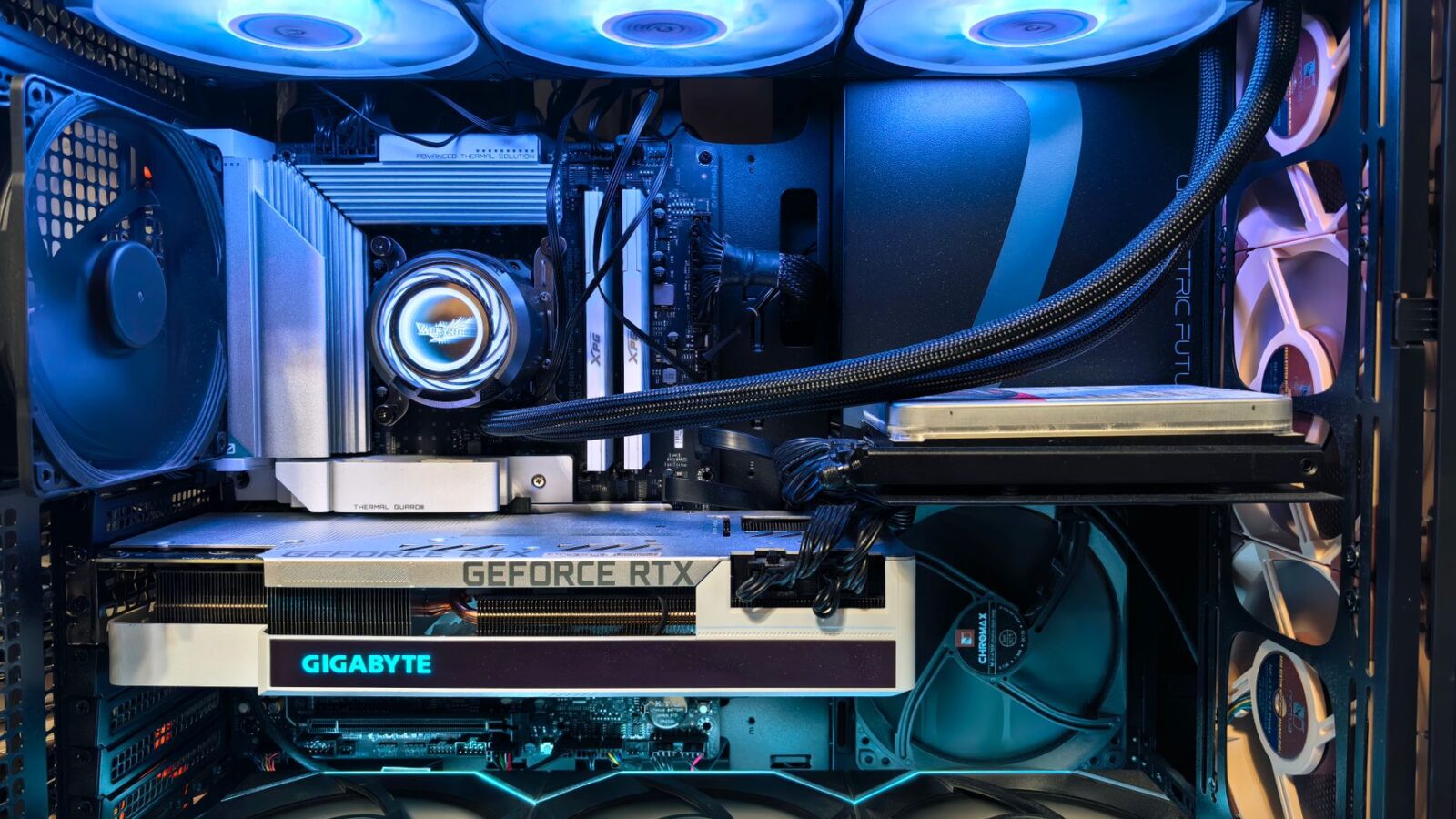
The 7 Components Every Gaming PC Needs
- GPU (graphics card): the most important component for gaming; allocate 35 to 40% of your total budget here for maximum visual performance
- CPU (processor): for gaming, a 6-core minimum and 8-core sweet spot; AMD Ryzen 7 9700X and Intel Core Ultra 7 265 lead in 2026
- Motherboard: must match your CPU socket; buy after choosing CPU, as socket compatibility determines which boards are compatible
- RAM: 32GB of DDR5 is the 2026 standard for new builds; speed and latency matter more than brand at comparable price points
- SSD: a 2TB NVMe SSD for your OS and main games; add a second 4TB SATA SSD for additional game storage as budget allows
- Power supply: buy from a reputable brand with at least 80 Plus Gold efficiency rating; cheap PSUs fail and can damage other components
- Case: any mid-tower ATX case with decent airflow works; prioritize cable management space and fan mount positions over aesthetics
GPU Selection: The Most Critical Decision in 2026
For 1080p gaming, the NVIDIA RTX 5060 Ti and AMD RX 9070 are the 2026 sweet-spot cards balancing performance and price.
For 1440p gaming, step up to the RTX 5070 or RX 9070 XT. These handle high-resolution gaming with ray tracing at high frame rates.
Avoid last-generation cards unless deeply discounted. New architecture in 2026 GPUs includes hardware ray tracing, AI upscaling, and better efficiency.
Per TechBenchPro build tips, matching your GPU to your monitor’s resolution and refresh rate prevents bottlenecks that waste the potential of either component.
How to Assemble Your Gaming PC Step by Step
Install the CPU into the motherboard first, outside the case. Align the notch indicators, lower it gently, and lock the socket arm or screws.
Insert RAM into the correct slots per the motherboard manual. Most boards want dual-channel RAM in slots 2 and 4, not 1 and 2.
Mount the motherboard, connect all PSU power cables, then slide the GPU into the primary PCIe x16 slot and secure it with the screw.
Connect storage, front panel connectors, and case fans. First boot will enter BIOS, where you enable XMP/EXPO for rated RAM speeds.
Your display connects it all together. best monitors 2026 covers the best monitors for 1080p, 1440p, and 4K gaming at every budget range in 2026.
Choosing PC versus console? PS6 vs PC gaming breaks down PS6 specs versus a self-built PC at the same price point.
Related Articles

Trust Post Desk
A journalist and editor at TrustPost.org covering world and national news, technology updates and human-interest stories. They check every fact, interview sources in person or online, and aim to deliver clear, accurate reporting. Their work ranges from breaking news to in-depth features and daily newsletters. Outside the newsroom, they follow emerging trends and engage with readers on social media.