Gigabit internet delivers speeds of 1,000 Mbps, fast enough to download a full HD movie in under 60 seconds from any device in your home.
What is gigabit internet beyond a marketing claim? It is a real infrastructure upgrade that changes what families and workers can accomplish online.
What Is Gigabit Internet, Exactly?
Gigabit internet is any plan delivering speeds at or above 1 Gbps, which equals exactly 1,000 megabits per second of continuous data transfer capacity.
The average US home internet speed in 2026 sits around 230 Mbps. Gigabit service is more than four times faster than that current national baseline.
At 1 Gbps, you can download a 25 GB 4K movie in about 3 minutes instead of 17 minutes on a 200 Mbps plan.
The term gigabit refers to data transfer rate, not storage capacity. One billion bits of data move across the line every second at 1 Gbps.
Most people feel gigabit speeds indirectly: calls that never drop, game patches that finish in minutes, and uploads that clear instantly without waiting.
Gigabit plans are available from both fiber and cable providers, reaching more US households in 2026 than at any previous point in broadband history.
Gigabit is no longer a niche tier. In competitive markets it is now priced alongside formerly mid-tier 300-500 Mbps plans from major providers.
Understanding the difference between advertised gigabit speed and delivered performance requires knowing how the connection reaches your home and what carries it inside.
How Gigabit Internet Works: Fiber vs. Cable
Gigabit internet reaches homes through two main technologies: fiber-optic cable and coaxial cable. Each hits 1 Gbps download but handles upload speeds very differently.
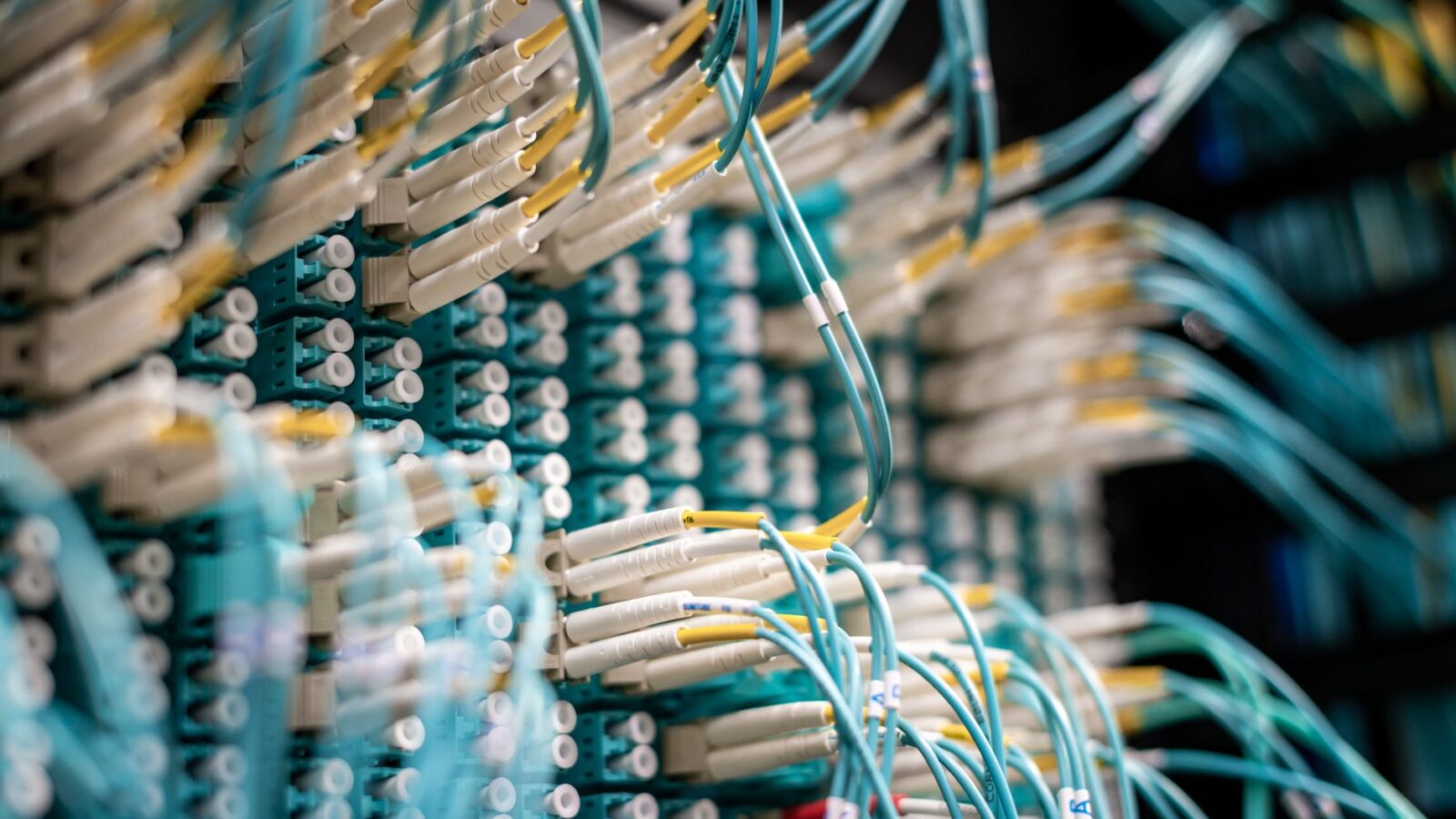
Fiber-optic connections transmit data as pulses of light through hair-thin glass strands. Fiber is the fastest and most consistent residential delivery technology available today.
Fiber delivers symmetrical speeds: upload matches download. Uploading a 10 GB file to cloud storage takes the same time as downloading one.
Coaxial cable, the same wire that carries cable TV, supports 1 Gbps downloads through DOCSIS 3.1 and DOCSIS 4.0 modem technology deployed nationwide.
Cable gigabit plans are asymmetrical. Download speeds reach 1 Gbps, but upload speeds typically sit between 35 and 100 Mbps on cable-based infrastructure.
For frequent uploaders, live streamers, or users backing up terabytes to cloud storage, fiber gigabit is the stronger technical choice.
For households focused on streaming, gaming, and browsing, cable gigabit performs nearly identically to fiber for those specific everyday tasks.
Fiber lines resist signal degradation over distance and hold consistent speeds during neighborhood peak-hour congestion better than coaxial cable does under load.
What Gigabit Internet Speed Means in Real-World Use
Speed test numbers describe theoretical peak performance. Actual gigabit results depend on your router, ethernet cable quality, and each device’s own network hardware.
Wired Ethernet delivers speeds closest to true 1 Gbps. WiFi falls below that ceiling based on router generation, band, and distance from the access point.
Here is what 1 Gbps means for common household tasks:
- Download a full HD movie (15 GB): completes in under 2 minutes versus 11 minutes on a 200 Mbps plan
- Download a AAA video game (100 GB): completes in about 13 minutes versus 67 minutes on a 200 Mbps plan
- Stream 4K video: uses only 25 Mbps per screen, leaving 975 Mbps available for all other connected devices
- Upload a 1 GB work presentation to Google Drive: under 9 seconds on fiber gigabit versus 40 seconds on 200 Mbps
- Join a 4K video conference call: uses about 25 Mbps, leaving the rest free for dozens of simultaneous tasks
- Smart home devices: 20 connected sensors and cameras together consume just 10 to 30 Mbps on a gigabit connection
- Back up 1 TB of photos to cloud storage: completes in about 2.2 hours on fiber gigabit instead of 11 hours on 200 Mbps
Gaming latency depends more on ping than raw download speed. Gigabit reduces congestion lag spikes when multiple household users compete for bandwidth.
Households with 10 or more active devices will notice gigabit eliminating the congestion slowdowns common at 100-300 Mbps plans.
Upload-heavy users see the biggest gains. Content creators and video editors cut their upload wait times by 80 to 90 percent on fiber gigabit.
The gap between 500 Mbps and 1 Gbps feels less dramatic than 50 to 500 Mbps. Diminishing returns set in above your real demand.
What Equipment Do You Need for Gigabit Internet?
Achieving true gigabit speeds requires matching modem, router, cables, and device hardware. Existing equipment commonly caps performance well below 1 Gbps without anyone noticing.
- Modem: DOCSIS 3.1 or 4.0 for cable gigabit; fiber subscribers receive an Optical Network Terminal (ONT) from their ISP at no charge
- Router: WiFi 6 (802.11ax) or WiFi 6E is strongly recommended; older 802.11ac routers underperform with many simultaneously connected devices
- Ethernet cables: Category 6 (Cat6) supports up to 10 Gbps; Cat5 cables max at 100 Mbps and bottleneck any wired gigabit connection
- Gigabit network switch: allows multiple wired devices to connect simultaneously without reducing total available throughput from the router
- Device network adapter: verify your laptop or desktop has a Gigabit Ethernet port; older Fast Ethernet ports cap at 100 Mbps regardless of plan
Most providers rent a compatible gateway for $10 to $15/month. Xfinity’s 10G Gateway delivers latency as low as 13ms on qualifying gigabit plans.
Buying your own DOCSIS 3.1 modem and WiFi 6 router costs $200 to $350 upfront and pays off within 18 to 24 months.
WiFi 6 routers distribute gigabit bandwidth more efficiently across many connected devices. An older router becomes the bottleneck, not the internet line itself.
Powerline adapters and MoCA network adapters extend wired gigabit speeds to distant rooms without running new Cat6 cable through walls.
WiFi 6 mesh systems eliminate dead zones that push devices onto slow 2.4 GHz bands, so every room benefits from the full gigabit plan.
Who Actually Needs Gigabit Internet?
Gigabit internet is not necessary for every household. Understanding your actual daily usage determines whether the premium justifies the monthly cost increase.
Households where gigabit delivers clear, measurable improvement:
- Families with 5 or more people simultaneously streaming 4K, gaming online, and working from home on separate video calls
- Remote workers who regularly upload large video files, CAD renderings, or raw audio sessions to client servers or cloud storage
- Content creators who live-stream at 1080p or 4K and upload finished video projects daily to YouTube, Vimeo, or client platforms
- Competitive gamers who frequently download large title updates (50-100 GB) and want patches to complete before the next session
- Smart home setups with 20 or more devices including security cameras, smart speakers, thermostats, and home automation hubs
- Home-based businesses running VPN servers, remote desktop access, NAS storage, or high-frequency cloud database synchronization
A single person streaming Netflix and attending occasional video calls does not need gigabit. A 100-300 Mbps plan handles those tasks easily.
A four-person home where two adults work remotely and two kids stream simultaneously will feel a real difference moving to 1 Gbps.
Track your peak usage: if multiple devices consistently saturate your current plan during evening hours, gigabit will solve the problem.
Per BroadbandNow gigabit guide, gigabit now covers most US metro markets, making the upgrade accessible to far more households than before.
Top Gigabit Internet Providers in 2026
Major internet service providers now offer gigabit tiers across most urban and suburban US markets. Availability still varies significantly by city and local infrastructure.
- Xfinity (Comcast): up to 10 Gbps on cable in select markets; standard gigabit plans from $70-$80/month; largest national coverage footprint in the US
- AT&T Fiber: symmetrical 1 Gbps from $80/month across 21 states; no data caps on most plans and low-latency performance throughout the day
- Verizon Fios: fiber-based symmetrical gigabit from $89/month in the Northeast US; reliable upload speeds make it ideal for remote workers
- Google Fiber: symmetrical 1 Gbps from $70/month in select cities including Kansas City, Austin, Nashville, and Salt Lake City; no annual contracts
- Spectrum: cable gigabit across 41 states; upload speeds are lower than fiber but download performance handles most household use cases well
- Ziply Fiber: plans up to 50 Gbps in Pacific Northwest markets; transparent billing with no annual contracts and no data caps
- EPB Fiber (Chattanooga, TN): municipal gigabit from approximately $67/month; one of the fastest and most affordable city-owned networks in the US
Fiber providers deliver symmetrical gigabit. Cable providers like Xfinity and Spectrum offer fast downloads with asymmetrical, slower upload speeds on coaxial infrastructure.
Availability is the primary constraint. Only one or two providers may serve your address regardless of what national coverage maps suggest.
Always check provider availability using your exact street address. ZIP code-level maps routinely overstate actual service reach in dense and fringe areas.
How Much Does Gigabit Internet Cost in 2026?
Gigabit internet costs between $60 and $120 per month in most US markets, depending on provider, technology type, and applicable promotional pricing windows.
Per Mediacom 1 Gig breakdown, 1 Gig is the most popular upgrade tier for US households moving up from 300-500 Mbps plans.
Municipal fiber delivers the most affordable gigabit service. EPB Fiber in Chattanooga offers symmetrical gigabit for approximately $67/month with no annual commitment.
Introductory pricing often drops plans to $50-$65/month for the first 12 months. Standard rates typically reset to $80-$110/month after the promotional window.
Bundling with TV or phone may cut monthly cost by $10 to $20. Standalone contracts often prove better value long term once promotions expire.
Equipment rental adds $10 to $20/month. Buying your own DOCSIS 3.1 modem and WiFi 6 router eliminates that recurring monthly charge entirely.
Multi-gigabit plans (2-10 Gbps) cost $120 to $200+ per month, targeting professional home offices and power users rather than typical households.
Gigabit Internet vs. 5G Home Internet
5G home internet uses cellular towers to deliver broadband without cables. T-Mobile, Verizon, and AT&T offer 5G home plans in select US markets in 2026.
5G home internet typically delivers 300 to 600 Mbps under ideal conditions. mmWave 5G coverage zones approach near-gigabit speeds but with variable latency.
Wired gigabit delivers more consistent speeds than 5G home internet, which degrades in bad weather, congestion, or through dense building walls.
5G home internet installs in minutes without a technician visit. That appeals to renters, frequent movers, and areas without wired gigabit infrastructure.
T-Mobile and Verizon 5G Home plans cost $35 to $60/month, more affordable than wired gigabit but with lower consistent peak speeds.
For households needing consistent speeds, wired fiber gigabit is more reliable. edge vs cloud computing explores why infrastructure trends still favor wired over wireless connections.
Is Gigabit Internet Worth It in 2026?
For most multi-device households, gigabit delivers a measurable quality-of-life improvement at price points now competitive with premium mid-tier 300-500 Mbps plans.
If your household regularly experiences buffering, dropped calls, or lag spikes on a 200-300 Mbps plan, upgrading to gigabit will eliminate those problems.
Remote workers benefit immediately. Calls stay stable, cloud uploads finish in seconds, and large file transfers stop consuming productive working hours each day.
Single users or couples that stream and browse lightly notice little difference between 300 Mbps and 1 Gbps in day-to-day use.
Gigabit also future-proofs your home connection. quantum computing explained explains why next-generation computing workloads are expected to require significantly faster residential bandwidth this decade.
Faster connections reduce cybersecurity vulnerability windows too. cybersecurity threats 2026 covers how slow download speeds delay critical security patches across connected home devices.
If your current plan regularly fails to keep up with household demand, gigabit is worth it. If things run smoothly today, the upgrade can wait.
Revisit the upgrade when more household members join, when 4K is standard on all screens, or when daily uploads expand significantly.
Related Articles

Trust Post Desk
A journalist and editor at TrustPost.org covering world and national news, technology updates and human-interest stories. They check every fact, interview sources in person or online, and aim to deliver clear, accurate reporting. Their work ranges from breaking news to in-depth features and daily newsletters. Outside the newsroom, they follow emerging trends and engage with readers on social media.