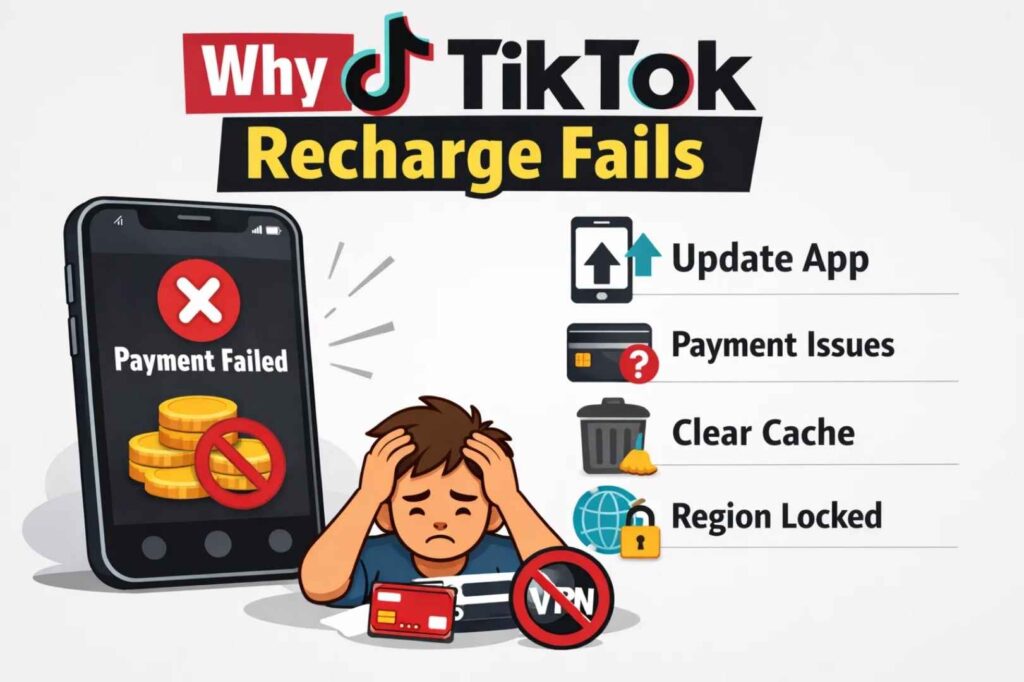
When TikTok won’t let you buy coins, payment typically fails for one of five reasons. Most can be fixed immediately by updating your app or trying a different payment method.
This guide walks through each reason and its solution, in order of how commonly they occur.
Why TikTok Recharge Fails
TikTok recharge failures happen when your app is outdated, your payment method has an issue, your cache is corrupted, or your location/account has restrictions. Understanding which one applies to you determines the fix.
Update Your App First
The most common cause of recharge failures is an outdated app. TikTok releases updates that specifically fix payment system bugs. If you’re running an older version, you’re trying to use a broken payment system.
On iPhone, open the App Store and tap the Updates tab. Find TikTok in your list and select Update. On Android, open Google Play, tap your profile, select Manage apps & device, go to the Updates tab, find TikTok, and tap Update.
After the update finishes, try recharging. This works for roughly 60% of users with payment failures.
Also read: 7 TikTok Profile Viewer & Analytics Tools I Actually Recommend
Try a Different Payment Method
If updating didn’t work, test whether the problem is your card or TikTok’s system by using a different payment method. Try a different credit card, Apple Pay, Google Pay, or PayPal if available.
If a different method works, your original card is the issue. This usually means the card is expired, the billing address doesn’t match your bank’s records, the bank flagged the transaction as suspicious, or you lack sufficient funds. Call your bank and mention you’re purchasing TikTok coins. They can approve the transaction or explain why it’s blocked.
If all payment methods fail, the problem is technical rather than payment-related. Continue to the next solution.
Clear Your App Cache
Apps store temporary files called cache that help them load faster. When corrupted, cache can break features like the payment system. Clearing cache removes these files without deleting your account or data.
On iPhone, go to Settings > General > iPhone Storage. Find TikTok and select it. Choose Offload App, then Reinstall App. On Android, go to Settings > Apps > TikTok > Storage and select Clear Cache (not Clear Data, which logs you out).
Try recharging after clearing cache. This fixes corrupted cache issues in roughly 30% of remaining cases.
Check for Regional Restrictions
TikTok doesn’t offer coin purchases in all countries due to licensing and payment infrastructure limitations. If you see “this feature is not available in your region,” coins simply aren’t available where you are.
Additionally, TikTok blocks payments when it detects VPN usage. If you’re using a VPN, disconnect it before attempting to purchase.
To test if location is the issue, try purchasing on a different WiFi network in your home area. If it works there but nowhere else, your location or VPN was the problem.
Account-Specific Issues
If the above solutions don’t work, the issue is likely account-specific. This means your account has been flagged or restricted in some way, and only TikTok support can resolve it.
Contact support by opening TikTok, tapping your profile, selecting Settings & Privacy, going to Help Center, and choosing Report a Problem. Describe the error message you’re seeing and mention that you’ve already tried updating the app and using different payment methods.
Support typically responds within 2-3 days.
Handle Payment Delays
Sometimes your payment processes but takes time to reach your app. If coins haven’t appeared within 5 minutes, close TikTok completely and force-close the app rather than just minimizing it. Wait a few minutes, then reopen TikTok and check your balance.
The coins often appear after the app closes because your purchase already completed; your app just hadn’t received confirmation yet. Don’t attempt another purchase if you think the first one failed, as multiple rapid attempts trigger fraud alerts.
Common Errors and What They Mean
Payment Declined: Your bank rejected the transaction. Call your bank to confirm they haven’t blocked TikTok purchases.
Unable to Process Payment: Either TikTok’s payment system is temporarily down or your payment method is incompatible. Try a different method or wait and retry later.
This Feature Isn’t Available in Your Region: Coin purchases aren’t offered in your country.
Card Not Supported: Your card type isn’t compatible with TikTok’s payment system. Try a different card.
Session Expired: Your login session ended. Log out and back in before trying to recharge.
What Causes These Failures
Outdated app versions contain payment bugs that newer versions fix. Payment methods fail when cards are expired, billing addresses don’t match bank records, banks flag transactions as suspicious, or accounts lack sufficient funds. Corrupted cache breaks app features. Regional restrictions prevent purchases in unsupported countries. VPN usage triggers payment blocks. Account restrictions require support intervention.
Understanding which category your failure falls into determines the appropriate fix.
Prevention
Keep your app updated. TikTok releases updates specifically to fix issues like payment failures. Update as soon as new versions are available.
Maintain accurate billing information. Billing address mismatches cause payment blocks. Verify your billing address matches what’s on file with your bank.
Avoid VPNs when purchasing. TikTok blocks all payments through VPNs.
Use primary payment methods. Backup cards and less-frequently-used accounts are more likely to trigger fraud blocks.
Wait between attempts. If a purchase fails, wait several minutes before trying again rather than retrying immediately.
Summary
Most TikTok recharge failures are solved by updating the app or trying a different payment method. Clearing cache or calling your bank handles nearly every remaining case. Contact support only if you’ve tried all of these steps.
The key is proceeding through solutions systematically rather than randomly. Start with the easiest solution (app update), then move to payment verification, then technical solutions. This approach works for roughly 95% of recharge failures.
Also read:
- Why Users Are Uninstalling TikTok and Trying Indie Short-Video Apps
- How to Block Someone on TikTok (Step-by-Step Guide)
- TikTok Emojis & Emoji Codes: The Complete Guide You Didn’t Know You Needed