
Let’s be honest. TikTok is fun until someone starts ruining the vibe. Maybe it’s a random troll leaving weird comments.
Or maybe it’s someone from your real life who just won’t stop watching your every move. Whatever the reason, sometimes the best move is
For more context, see our coverage of Social Media Trends 2026.
simple: block them.
A lot of people don’t actually know how easy it is to block someone on TikTok. It literally takes seconds.
Once you do it, they can’t follow you, view your videos, or interact with you anymore. Poof. Gone from your digital space.
For more context, see our coverage of US and Iran Sign Peace Framework.
Let’s walk through it properly.
Why You Might Want to Block Someone
Before we get to the steps, it’s good to be clear why you’re doing it. It’s not always about drama. Sometimes, it’s just about peace.
Here are some common reasons people block others:
For more context, see our coverage of Space Exploration Milestones 2026.
No shame in admitting that last one. Sometimes protecting your mental space is reason enough.
Step-by-Step: How to Block Someone on TikTok
Alright, here’s the part you came for.
Step 1: Open their profileFind the person’s profile. You can do this by tapping their username in your comments, messages, or just searching their name in the search bar.
Step 2: Tap the three dotsOnce you’re on their profile page, look at the top right corner.
You’ll see three dots (sometimes three lines depending on your app version). Tap that.
How to Block Multiple People at Once on Tiktok
Step 3: Hit “Block”A menu will pop up with options like “Report,” “Share,” and “Block.” Choose Block. TikTok will ask you to confirm. Tap Block again, and that’s it.
They won’t get a notification that you blocked them. But if they try to visit your profile, they’ll see they can’t follow or view your content anymore.
TikTok actually has a feature for bulk blocking. Handy if you’re dealing with spam bots or a sudden flood of creepy accounts.
What Happens After You Block Someone
Here’s how:
Done. It’s like spring cleaning but for your TikTok space.
Once someone’s blocked, here’s what changes:
How to Unblock Someone on Tiktok (If You Change Your Mind)
If they were already following you, they’ll be automatically removed from your followers list.
And no, TikTok doesn’t send them a “You’ve been blocked” alert. It’s silent. So you don’t need to worry about awkward confrontations unless they figure it out on their own.
Sometimes we block in the heat of the moment. Totally normal. If you ever want to unblock someone, here’s how:
Quick Tip: Adjust Privacy Settings First
Once you unblock them, they can find your profile again and interact like before (unless your privacy settings are strict).
Before you go on a blocking spree, check your privacy settings. You can limit who can comment, duet, or message you. Sometimes that’s enough without blocking.
Go to Profile → Menu (top right) → Settings and Privacy → Privacy.You can toggle things like:
Real Talk
These settings help filter out a lot of unwanted attention without you having to manually block everyone.
Blocking isn’t petty. It’s healthy. Social media should be fun, not stressful. If someone’s presence messes with your vibe, it’s your right to control who gets access.
I’ve seen people hesitate to block because they “don’t want to make it a big deal.” But honestly, it doesn’t have to be a big deal. It’s your space. Think of it like locking your door at night. You don’t hate the world. You just like your peace.
Final Thoughts
TikTok gives you control over your experience. Blocking is just one of the tools. Don’t overthink it. If someone’s bothering you, block. If they stop, unblock. Simple.
The point is, you shouldn’t have to scroll with that weird uneasy feeling in your stomach. Take two seconds, block, and move on. TikTok will feel lighter again.
Also read:
Sources and Further Reading
Learn more at TechCrunch.
Learn more at The Verge.
Learn more at Wired.
Related Articles
- Social Media Trends 2026
- US and Iran Sign Peace Framework
- Space Exploration Milestones 2026
- What Does the Green Dot Mean on Snapchat?

Get the TrustPost briefing
The stories that matter, in your inbox. No spam, unsubscribe anytime.
Newsletter signup will be available soon.
Related stories
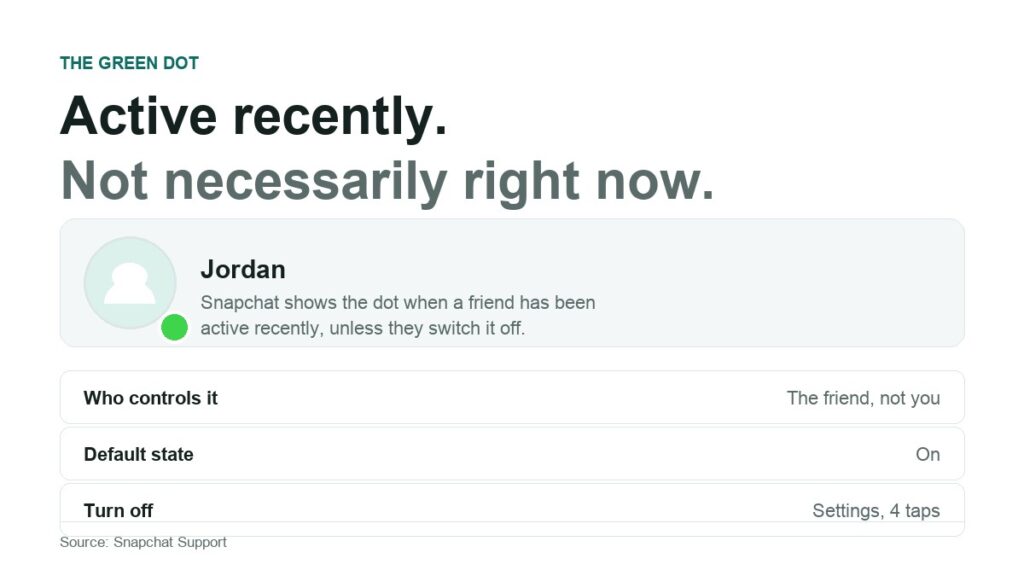
What Does the Green Dot Mean on Snapchat?
Eight common claims about Snapchat’s green dot, each checked against what Snapchat actually documents. What it reports, how to turn it off, and what turning it off does not hide.
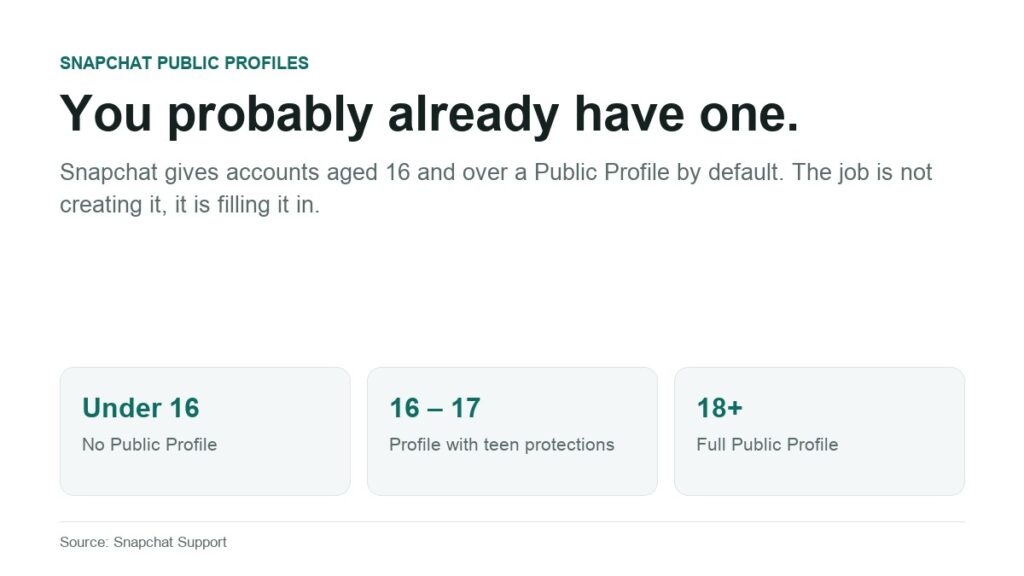
How to Make a Public Profile on Snapchat
Snapchat creates a Public Profile for every account aged 16 and over. A privacy audit of what strangers can see, what you control, and the extra rules for 16 and 17 year olds.

Your Instagram Posts Can Now Rank on Google: Here’s How to Take Advantage
For years, there was a wall between Instagram and the rest of the internet. You could pour hours into a post, and none of it would ever show up when someone searched…