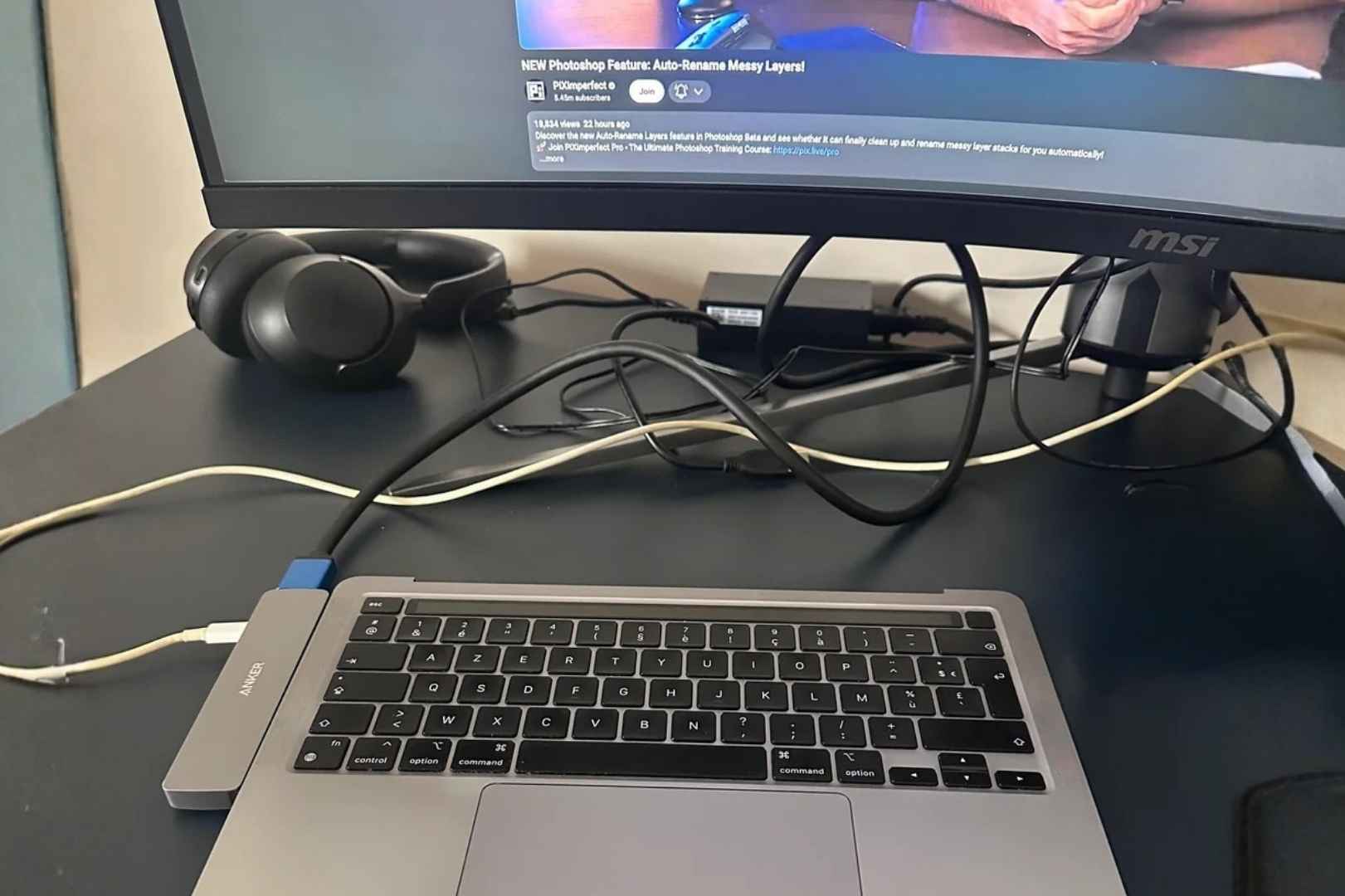
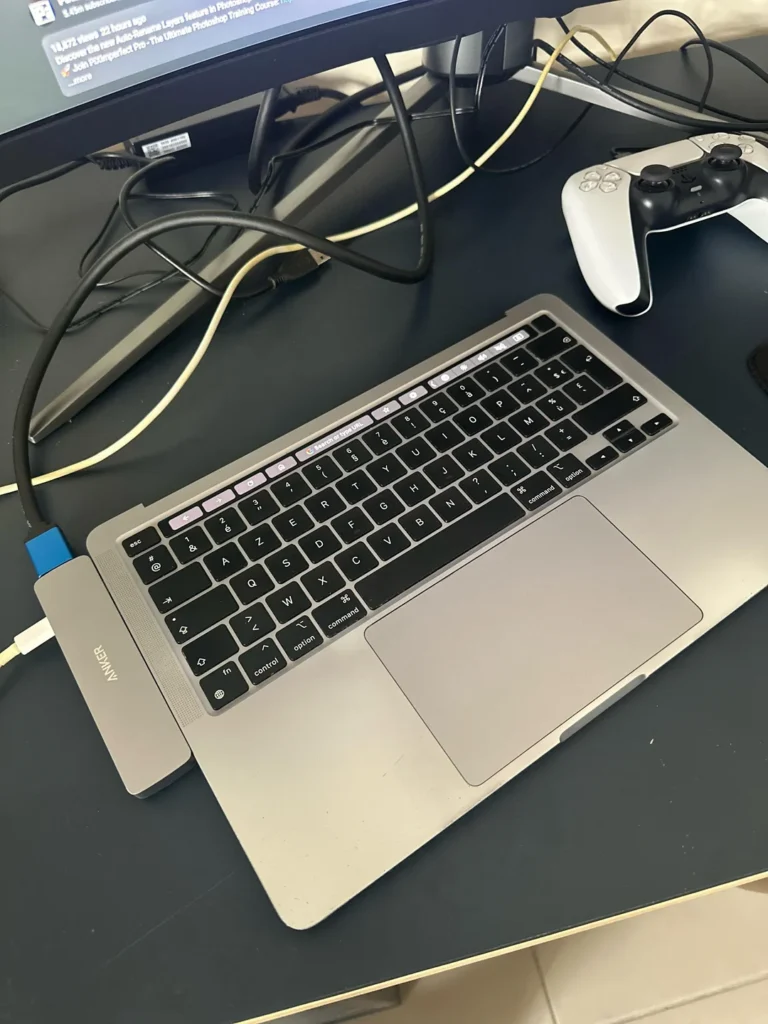
Reddit user rynlv spotted a deal that most people would walk past: an M2 Pro MacBook Pro with a shattered display, listed for £500 — less than a third of its original £1,700 price. Instead of trying to repair the screen (a $400+ endeavor that rarely makes financial sense), they did something that felt almost criminal: they removed the display entirely.
The result? A beautifully minimal “HalfBook” — the keyboard, trackpad, and all of Apple’s M2 Pro silicon, sitting flush on a desk, tethered to a 144Hz monitor with a single Thunderbolt 4 cable. Clean, fast, and oddly elegant.
“A lush, well-lit desktop monitor, a sleek keyboard and mouse, a single cable binding it all together — I didn’t realize I was looking at a MacBook until I read the caption.”
The economics of a broken screen
Repairing a MacBook display is brutally expensive. An M1 or M2 MacBook Air screen through Apple’s Self Repair program or iFixit runs around $400 — often more than the secondhand value of the machine itself. That pricing quirk floods eBay and marketplace listings with dead-screen MacBooks at fire-sale prices.
An M1 MacBook Air with a cracked display can be found for as little as $140–$200. With Apple silicon still delivering benchmark scores that rival far pricier machines in 2025, these “broken” laptops are an absurd value — if you’re willing to lose the screen.
The math: M1 MacBook Air with cracked screen ≈ $140. Replacement display ≈ $400. Total to repair: $540. A refurbished working M1 Air: $400. The repair never made sense — making it headless does.
The HalfBook process
The build is surprisingly approachable, thanks largely to iFixit’s detailed teardown guides. Here’s what the process looks like:
- Source a broken MacBook. Look for screen damage on eBay, Facebook Marketplace, or Swappa. Avoid activation-locked units — without the Apple ID, the machine is a paperweight.
- Gather tools. You’ll need pentalobe and Torx screwdrivers, a spudger, and tweezers. iFixit sells kits purpose-built for this.
- Open the laptop to 90 degrees. Lift the top case and push the display assembly straight away from the hinge. Warped aluminum from drops can make this trickier.
- Disconnect the display cable — carefully. Leave the WiFi antenna cables intact. On most MacBook models, the wireless antennas live inside the display lid. You’ll need to reroute or retain them.
- Connect to an external display. A single Thunderbolt cable carries video, power, and data. Pair it with a good monitor and you have a capable desktop machine.
Heads up: Removing the display lid can affect SMC thermal management on some models — the sensor that reads lid temperature disappears with it. Some users report minor fan behaviour changes. M-series chips run cool enough that this rarely causes real issues in practice.
More than a budget hack
The appeal goes beyond thrift. The HalfBook gives you Apple’s legendary trackpad and keyboard — arguably the best on any laptop — hooked up to any monitor you choose. You’re not locked into Apple’s display ecosystem. A 32″ 4K ultrawide, a 144Hz gaming panel, a dual-monitor arm setup — all of it works over Thunderbolt.
For Apple Vision Pro users, there’s an unexpected bonus: Mac Virtual Display already disables the MacBook’s built-in screen when the headset is on. A headless MacBook is, in effect, the ideal AVP companion — lighter, less top-heavy, perfectly suited for lying-down use.
YouTuber Luke Miani helped popularize the concept with a detailed video walkthrough, and the iFixit community has since documented builds across multiple MacBook generations — from Intel-era Touch Bar models to the latest M2 and M3 chips.
A quiet sustainability story
eBay and similar platforms are flooded with MacBooks that are, for all practical purposes, discarded — not because the processor, RAM, or storage has failed, but because replacing a broken screen costs more than the machine is worth. The HalfBook turns that market failure into an opportunity.
An M1 or M2 chip still outperforms most Windows laptops at twice the price. Giving these machines a second life as headless desktop workstations keeps capable hardware out of e-waste streams and puts serious computing power into the hands of people who couldn’t otherwise afford it.
“Thousands of defunct Macs sit on eBay, useless to most people. Perhaps if more people knew how to make a headless Mac, they could be saved — even on a commercial scale.”
Also read:

Trust Post Desk
A journalist and editor at TrustPost.org covering world and national news, technology updates and human-interest stories. They check every fact, interview sources in person or online, and aim to deliver clear, accurate reporting. Their work ranges from breaking news to in-depth features and daily newsletters. Outside the newsroom, they follow emerging trends and engage with readers on social media.